Webhooks vs Websockets: A Practical Comparison for Developers
Discover webhooks vs websockets: compare differences, trade-offs, and ideal use cases to guide your decision.
By Riya
5th Feb 2026
Last updated: 5th Feb 2026
Let's break down the core difference between Webhooks and WebSockets with a simple analogy. Think of a Webhook as a doorbell—it sends a one-way notification from a server to your application only when a specific event happens. A WebSocket, on the other hand, is like an open phone line, creating a persistent, two-way channel where both sides can talk and listen at any time.
Your choice really boils down to one question: do you need simple, one-off event alerts, or are you building something that requires a continuous, interactive data stream?
Choosing Your Real-Time Communication Method
When you're building an application that depends on real-time data, picking the right communication method is a foundational architectural decision. The choice between Webhooks and WebSockets isn't just a technical debate; it shapes how your services communicate and directly impacts user experience, server load, and how complex your implementation will be.
Webhooks, often called "reverse APIs," are fantastic for event-driven, asynchronous updates. They are lightweight, stateless, and work over standard HTTP. Essentially, they act as automated messengers, delivering a payload to a specific URL whenever a predefined event occurs. This makes them a perfect fit for:
- Integrating third-party services, like getting a Slack message when a new payment is processed in Stripe.
- Kicking off a CI/CD pipeline the moment new code is pushed to a repository.
- Sending simple notifications that don't need an immediate response from the receiver.
WebSockets create a totally different kind of connection—a stateful, full-duplex one. This single, persistent channel allows both the client and server to push data back and forth with incredibly low latency, which is non-negotiable for highly interactive experiences.
The core trade-off is simplicity versus interactivity. Webhooks give you a simple, highly scalable push model for discrete events, while WebSockets offer a powerful—but more complex—framework for continuous, bidirectional communication.
Before we get into the weeds, this table offers a quick, high-level summary of the fundamental differences.
Webhooks vs WebSockets at a Glance
| Criterion | Webhooks | WebSockets |
|---|---|---|
| Communication | One-way (server-to-client push) | Two-way (bidirectional) |
| Connection | Stateless (new HTTP request per event) | Stateful (persistent, single connection) |
| Protocol | HTTP/S | WebSocket (ws:// or wss://) |
| Latency | Higher (event-triggered delay) | Extremely low (near real-time) |
| Use Case | Event notifications, integrations | Live chat, real-time dashboards, gaming |
This at-a-glance view helps frame the conversation. Now, let's dive deeper into the specific architecture, performance, and real-world scenarios for each.
Understanding Webhooks: The Asynchronous Messenger

Think of webhooks as a "fire-and-forget" system for your applications. They’re a simple, powerful way for one system to send an automated, one-way message to another when a specific event happens. It's the digital version of a doorbell—instead of constantly checking if someone’s at the door, you get a notification the moment they arrive.
This event-driven approach is fundamental to building modern, decoupled systems. Rather than one application constantly asking another, "Anything new yet?" (a process called polling), the source application simply pushes a notification when there's something to report. This is a far more efficient and scalable way to communicate.
Under the hood, the technology is incredibly straightforward. A webhook is just an HTTP POST request sent to a specific URL on the receiving server, which we usually call an endpoint. This request carries a payload, typically formatted as JSON, that describes the event that just occurred.
The Power of Simplicity and Statelessness
One of the biggest wins with webhooks is their stateless design. Each HTTP request is a completely independent transaction. The server sending the webhook doesn't have to keep a connection open or remember anything about past interactions, which drastically cuts down on its resource load.
This simplicity makes webhooks exceptionally versatile and easy to set up. All the receiving application needs is a public URL that can handle POST requests. It's no surprise they've become the default method for connecting different services across the web.
You see this pattern everywhere:
- E-commerce: A customer buys something on a Shopify store, and a webhook immediately tells your inventory system to update its stock count.
- Developer Tools: You push new code to a GitHub repository, which triggers a webhook to kick off a new build and deploy in your CI/CD pipeline.
- Communication: A message is posted in a Slack channel, and a webhook fires off to create a new task in your project management tool.
In every case, the webhook is the glue that automates a workflow between two otherwise separate services. For an internal tool like a FlyDash dashboard, this is perfect for triggering actions based on events from third-party APIs—like updating a sales chart the instant a new payment is processed in Stripe.
Efficiency in an Event-Driven World
Switching from polling to push-based notifications is a huge leap in efficiency. In today's development world, webhooks are the go-to for event-driven updates, capable of slashing unnecessary server load by up to 90% compared to constant polling. The push model ensures servers only send data when something actually happens, which also saves a ton of bandwidth. You can learn more about the efficiency of webhooks and other real-time technologies to see the numbers for yourself.
A webhook is fundamentally a contract. The source system agrees to send a notification when a specific event happens, and the receiving system agrees to listen for it at a designated URL. This simple agreement powers countless automated workflows.
But this simplicity does come with trade-offs. Since the communication is one-way and stateless, the sender has no idea if the message was actually received or processed correctly. This means you have to design the receiving application with reliability in mind, often by using queuing systems or sending back acknowledgement responses to handle potential failures and traffic spikes.
Ultimately, webhooks are at their best in asynchronous, event-based scenarios where you don't need real-time, two-way conversation. They provide a lightweight, scalable, and universally supported way for services to talk to each other without being tightly coupled.
Diving into WebSockets: The Always-On Connection
If webhooks are like sending a text message when something happens, WebSockets are like keeping a phone call open. They establish a single, persistent, two-way communication channel over one TCP connection. Once that line is open, both the client and the server can send data back and forth whenever they want, without the overhead of setting up a new connection for every single message. This is the bedrock of truly real-time web applications.
It all starts with what’s called an "opening handshake." The client sends a standard HTTP request to the server, but with a special "Upgrade" header. This is basically the client asking, "Hey, can we switch from HTTP to the WebSocket protocol?" If the server is on board, it agrees, and the connection is upgraded. From that point on, the line stays open for a continuous, low-latency conversation.
This full-duplex setup, where data flows in both directions at the same time, is a total game-changer for any application where users need instant feedback.
The Stateful Reality of Continuous Communication
Unlike the fire-and-forget nature of webhooks, WebSocket connections are stateful. This means the server has to keep track of every single active connection, knowing who is connected and managing the entire lifecycle of that session. It definitely adds a layer of complexity, but it's the only way to get the seamless, continuous data flow that powers highly interactive experiences.
This stateful architecture is what makes things like this possible:
- Live Collaborative Editing: Think of multiple people typing in the same document, seeing each other's cursors move and changes appear in the blink of an eye.
- Real-Time Dashboards: Imagine an operations dashboard for a tool like FlyDash, where you see logs or live metrics stream in without ever hitting the refresh button.
- Online Gaming: Players get instant updates on what everyone else is doing in the game world.
Trying to build these features by constantly polling for changes with HTTP requests would be a nightmare. It's incredibly inefficient and would create a laggy, frustrating user experience. A WebSocket just gets rid of that delay completely.
WebSockets trade the simplicity of stateless HTTP for the power of a persistent, stateful connection. This overhead is a necessary investment for applications where sub-second latency and bidirectional data flow are not just features, but core requirements.
When WebSockets were officially standardized with RFC 6455 back in December 2011, they completely changed the game for real-time web communication. Today, they're supported by over 95% of modern browsers, making it possible for applications to hit sub-50ms latency. This persistent TCP connection is perfect for live experiences—like seeing cursors moving and data syncing in a FlyDash dashboard as multiple users work together. The growth has been staggering; by 2025, WebSocket traffic in collaborative platforms had surged 300% year-over-year. To put that in perspective, platforms like Figma are now handling over 4 billion WebSocket messages every single day. You can read more about the impact of WebSockets vs other real-time protocols on Synergyboat.com.
Managing Connection Overhead and Complexity
The biggest trade-off with WebSockets is the technical overhead. Because the connection is always on, both the client and the server have a lot more to worry about. You're suddenly responsible for managing the connection's state, figuring out how to handle unexpected disconnects gracefully, and building logic to automatically reconnect if a user's network gets flaky.
On the server side, this means your infrastructure has to be ready to handle potentially thousands, or even millions, of concurrent open connections. That can be a huge drain on resources. Scaling a WebSocket application requires serious architectural planning, often involving sophisticated load balancers and servers specifically designed to manage stateful connections.
This complexity is precisely why the webhooks vs websockets debate is so important. If all you need are simple event notifications, the overhead of a WebSocket is overkill. But when that immediate, two-way interaction is the entire point of your application, the power of a persistent connection is absolutely essential.
Comparing Key Technical and Architectural Differences
Deciding between webhooks and WebSockets isn't just a technical preference; it's a core architectural choice that will shape your application's performance, complexity, and how it scales. While both are used for real-time data, they couldn't be more different under the hood.
Think of it this way: a webhook is like getting a postcard in the mail. It's a one-way, event-triggered push over standard HTTP. A WebSocket, on the other hand, is like an open phone line—a persistent, two-way conversational channel. This single difference is the root of almost every other pro and con.
The Technical Deep Dive: Webhooks vs. WebSockets
To make a smart decision, you have to look beyond the surface-level definitions. The table below breaks down the critical architectural and performance differences that will directly impact your project.
| Aspect | Webhooks | WebSockets | Best For |
|---|---|---|---|
| Protocol | HTTP/S. Standard request-response model. | Upgraded TCP (starts as HTTP, then switches to ws:// or wss://). | Webhooks for universal compatibility; WebSockets for specialized, low-overhead communication. |
| Communication | One-way (unidirectional). Server pushes data to a client endpoint. | Two-way (bidirectional). Client and server can send data at any time. | Webhooks for notifications; WebSockets for interactive, conversational apps. |
| Connection State | Stateless. Each request is independent. | Stateful. A single connection is kept open. | Webhooks for simple, discrete events; WebSockets for continuous data streams or sessions. |
| Latency | Higher. Subject to HTTP overhead and network round-trips for each event. | Very Low. Minimal framing overhead after the initial handshake. | Webhooks when a slight delay is acceptable; WebSockets for near-instant feedback. |
| Reliability | Needs work. Relies on retry logic and queuing on the receiving end. | More robust. Can detect dropped connections instantly and implement recovery. | WebSockets for applications that can't afford to miss messages. |
| Scalability | Horizontally scalable with standard load balancers. Can cause "thundering herd" issues. | Complex to scale. Requires stateful load balancing and connection management. | Webhooks scale easily for high-volume, sporadic events; WebSockets require more planning for massive concurrency. |
| Implementation | Simple. Just a standard HTTP endpoint. | More complex. Requires client/server libraries and connection lifecycle management. | Webhooks for quick and easy setups; WebSockets when the performance gain justifies the effort. |
This breakdown shows there’s no "better" option—only the right tool for the job. Your choice depends entirely on whether you need a simple notification system or a full-fledged interactive communication channel.
Communication Protocol: HTTP vs. TCP
The foundational difference between webhooks and WebSockets comes down to the protocols they use. Webhooks are pure HTTP/S, relying on the same request-response cycle that powers the web. Every single webhook is just a standard HTTP POST request, which makes them incredibly easy to work with and debug.
WebSockets play a different game. They start with a familiar HTTP handshake to say hello, but then they "upgrade" the connection to run directly over TCP. This new protocol (ws:// or wss://) tears down the walls of the request-response model, allowing data to flow freely in both directions without the constant overhead of HTTP headers.
The key insight here is that webhooks work within the existing web infrastructure, while WebSockets create a dedicated, high-speed lane right next to it. This fork in the road is what drives all the other trade-offs in performance and complexity.
Latency and Performance: Event-Triggered vs. Near-Instant
When it comes to speed, the webhooks vs. WebSockets debate isn't much of a debate at all. Webhooks are built for asynchronous events, not instant interaction. There’s always a delay as the source system spots an event, builds an HTTP request, sends it over the network, and waits for your server to respond. For things like a new order notification or a build trigger in your CI/CD pipeline, that latency is perfectly fine.
WebSockets, however, are engineered for raw speed. Once that initial connection is made, messages fly back and forth with almost no overhead. This near-zero latency is a non-negotiable requirement for apps where users need immediate feedback.
- Live Collaborative Tools: In a dashboard like FlyDash, you want to see a colleague's cursor move or a chart update the second it happens. That requires the sub-100ms latency that only WebSockets can deliver.
- Live Chat: Imagine a chat app where every message had to wait for a full HTTP round-trip. It would feel broken and slow.
- Financial Tickers: Streaming stock prices can't afford the unpredictable delays of webhooks; they need a constant, low-latency firehose of data.
The graphic below really drives home the core strengths of WebSockets that enable these experiences.
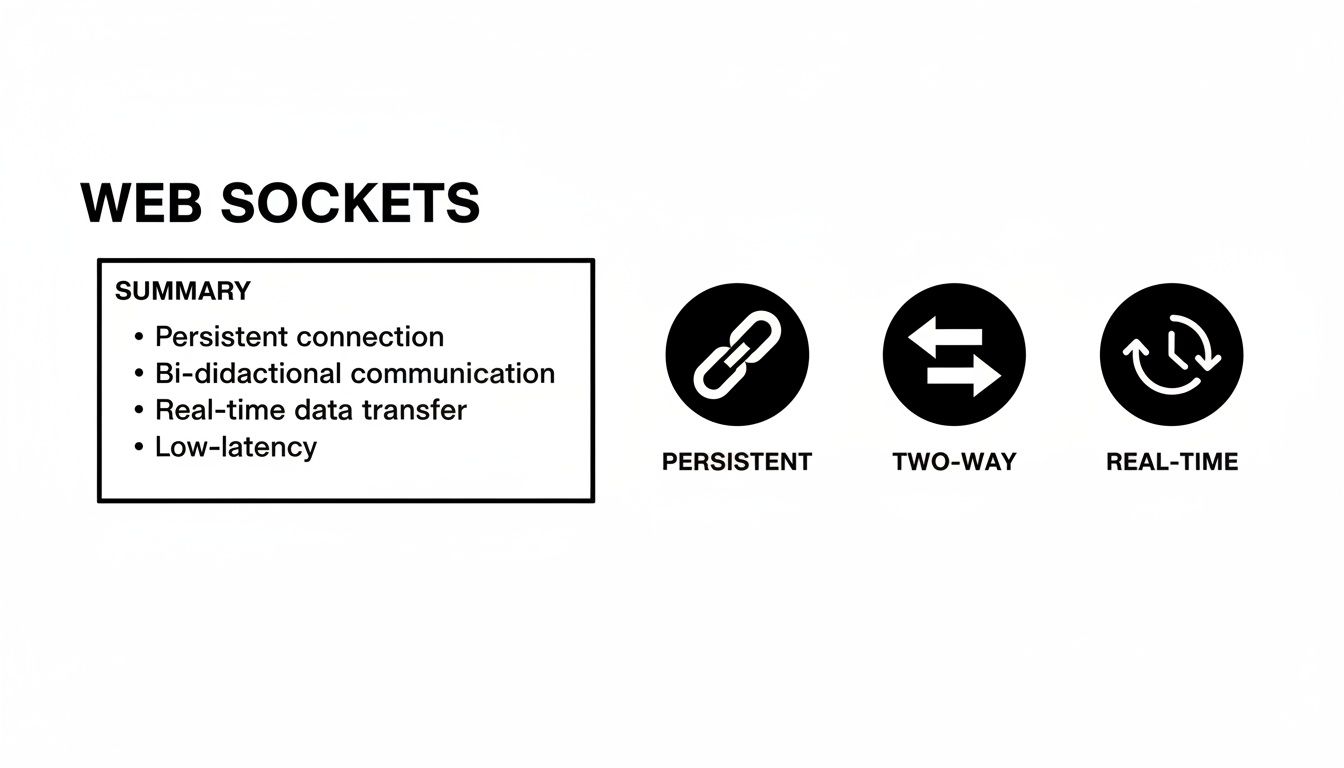
This shows exactly why WebSockets excel: the persistent, two-way connection is purpose-built for high-performance, interactive applications.
Scalability and Resource Usage
This is where the comparison gets more interesting. Because they are just stateless HTTP requests, webhooks are dead simple to scale horizontally. Just spin up more server instances behind a load balancer, and you're good to go. The catch? A sudden burst of events—like during a flash sale—can create a "thundering herd" that hammers your endpoint with a massive wave of simultaneous requests.
WebSockets have the opposite problem. Every open connection eats up a little bit of server memory and CPU, as the server has to keep track of each individual client. Scaling to hundreds of thousands of concurrent users requires a more sophisticated setup, including specialized load balancers that support "sticky sessions" and a solid connection management strategy.
Choosing between them often boils down to finding the most efficient tool for your use case. A 2025 developer survey found that 68% prefer webhooks for one-way events, while 52% choose WebSockets for live bidirectional needs. In terms of resources, webhooks can keep server load 40-60% lower for infrequent updates, which is perfect for many FlyDash API integrations. In contrast, WebSockets can demand 3-5x more memory for 10,000+ clients but deliver updates up to 10x faster. For a deeper dive, check out these insights on API communication patterns and their efficiency on Wallarm.com.
Implementation Complexity
From a developer’s point of view, webhooks are far easier to get started with. All you need is a basic HTTP endpoint capable of handling a POST request. The real work isn't in receiving the data, but in making your endpoint robust—handling retries, verifying signatures, and using a queue to process events reliably.
WebSockets are a heavier lift. On the client side, you need a library to manage the connection's entire lifecycle: opening it, listening for messages, handling errors, and automatically reconnecting if it drops. On the server side, you need a framework designed to manage thousands of stateful connections, which is a big shift from the typical stateless web server model. That extra complexity is simply the cost of admission for true real-time interactivity.
Webhooks vs. WebSockets: Choosing the Right Tool for the Job
Knowing the theory is great, but the real test is applying it. Your choice between webhooks and WebSockets isn't just a technical one; it's about the specific experience you're building and the problem you need to solve. Let's break down some common scenarios to see where each one truly shines.
When to Use Webhooks: The Power of Asynchronous Events
Webhooks are the go-to for asynchronous, event-driven communication. Think of them as a simple "fire-and-forget" notification system. They are perfect when one system needs to tell another system, "Hey, this just happened," without needing a back-and-forth conversation. The event is a single, self-contained piece of information.
Here are a few classic examples where webhooks are the clear winner:
-
E-commerce Order Notifications: When someone buys a product on a Shopify store, a webhook can fire off a single HTTP POST request. That one event can trigger a whole cascade of actions: updating your inventory database, alerting the warehouse, and adding the customer to your email marketing flow. A WebSocket here would be like using a sledgehammer to crack a nut—total overkill for a one-off event.
-
CI/CD Pipeline Triggers: Automation is the name of the game in modern software development. When a developer pushes code to a GitHub repository, a webhook can instantly kick off a build and test sequence in a tool like Jenkins. The message is simple and one-way: "New code is here, get to work."
-
Third-Party Service Integrations: This is probably the most common use case. Let's say you want your internal FlyDash dashboard to show the latest support tickets from Zendesk. Instead of constantly asking the Zendesk API, "Anything new? Anything new?", you can set up a webhook. Zendesk will simply tell you the moment a ticket is created or updated. It's dramatically more efficient.
A webhook is the perfect choice when your application needs to react to an event that happened somewhere else. It’s a simple, reliable, and resource-friendly way to handle discrete notifications.
When WebSockets Are the Only Real Option
WebSockets are designed for a completely different kind of challenge: continuous, low-latency, two-way interaction. If your application's core feature involves people collaborating or watching live data, the overhead of a WebSocket isn't just acceptable—it's absolutely necessary.
Trying to build a live chat app with webhooks would be a nightmare of polling and delays, leading to a clunky and frustrating user experience. On the flip side, keeping a WebSocket connection open just for a single payment confirmation is a pointless waste of resources.
These are the scenarios where WebSockets are non-negotiable:
-
Real-Time Collaborative Editing: This is the quintessential WebSocket use case. Think about Google Docs or a collaborative design tool like Figma. To see your teammate's cursor move and their edits appear instantly, you need an open, two-way channel. A WebSocket provides that persistent connection to stream those tiny, constant updates back and forth with minimal delay.
-
Live Financial Trading Platforms: In the world of finance, every millisecond counts. A trading platform has to push a constant stream of stock price updates to thousands of users at the same time. WebSockets are the only way to deliver that low-latency firehose of data that traders rely on to make split-second decisions.
-
Live-Streaming Chat and Audience Interaction: During a live stream, the chat has to feel immediate. A WebSocket connection lets messages from thousands of viewers appear instantly for everyone. It also powers things like live polls and emoji reactions, where the server needs to push an update to every connected client simultaneously.
In each of these cases, the key is the need for a continuous, stateful, and bidirectional conversation. The application isn't just reacting to a single event; it's managing an ongoing, interactive session where data can flow in either direction at any moment. This is where the webhooks vs WebSockets decision becomes crystal clear—only WebSockets can handle this level of real-time performance.
Building Your Application with the Right Technology

When you're deciding between Webhooks and WebSockets, the question isn't "which one is better?" but rather "which one is right for this specific task?" To make a smart architectural choice, you have to look past the technical specs and get straight to what your application actually needs to do.
A few straightforward questions about your app's communication patterns will usually point you in the right direction. This simple exercise can quickly reveal whether the lean, event-triggered model of Webhooks or the always-on, bidirectional channel of WebSockets makes more sense.
A Decision-Making Framework
Before you lock yourself into an architecture, think through these three key areas:
-
Direction of Communication: Is data mostly flowing in one direction, like a server pushing an update to your application? If you’re just reacting to distinct events as they happen, Webhooks are the clear choice. But if you need a true back-and-forth dialogue between the client and server, WebSockets are essential.
-
Latency Sensitivity: How much does a split-second delay matter to your users? For things like notifications, where a tiny lag is perfectly fine, Webhooks are more than enough. For a live chat app or a collaborative document editor, that instant feedback is everything, making WebSockets non-negotiable.
-
Data Type: Are you dealing with standalone, self-contained events or a constant flow of information? Webhooks are brilliant at delivering self-contained event payloads, while WebSockets are designed from the ground up to manage streaming data efficiently.
The most powerful applications often don't choose one over the other—they use both. A hybrid approach lets you play to the strengths of each technology, creating a far more robust and efficient system.
Think about a complex internal tool built with a platform like FlyDash. It might use Webhooks to pull in event data from third-party services like Stripe or Zendesk, triggering asynchronous updates. At the same time, it could run a WebSocket connection to power a real-time dashboard where multiple team members see live data streams and each other’s edits instantly.
This hybrid model means you don't have to settle for a one-size-fits-all solution. You get to build smarter, more responsive tools by using the right technology for each part of the job.
Got Questions? We've Got Answers
When you're digging into real-time communication, a few key questions always pop up. Let's clear the air on the most common points of confusion between webhooks and WebSockets.
Can Webhooks Really Be Two-Way?
Not in the way you might think. By design, a webhook is a one-way street. A source server fires off an HTTP POST request to a destination when a specific event happens. It's a classic "fire-and-forget" push.
That said, you can mimic a two-way conversation. After your app receives and processes a webhook, it could immediately make a separate API call back to the original server. This creates a request-response cycle, but it's really just two independent, one-way messages, not a true, persistent bidirectional connection.
Which One Is More Secure?
This is a classic "it depends" scenario. The security of webhooks versus WebSockets isn't about which one is inherently safer; it’s about how you implement the security measures for each. Both are rock-solid when you follow best practices.
- Securing Webhooks: The gold standard is signature verification. The sender signs the webhook payload with a shared secret (often using HMAC), and the receiver verifies that signature. This proves the message is authentic and hasn't been altered. Always, always use HTTPS.
- Securing WebSockets: Here, security is built into the protocol itself. You use the WebSocket Secure protocol (wss://), which is essentially WebSocket communication layered over TLS/SSL. This encrypts the entire session, protecting you from eavesdropping and man-in-the-middle attacks.
Can I Use Both in the Same App?
Absolutely. In fact, it's often the smartest way to build. Playing to the strengths of each technology is a sign of a well-designed, scalable system.
A hybrid approach is often the sweet spot. Use webhooks for asynchronous updates from third-party services, and use WebSockets for the interactive, real-time features your users see and touch.
Imagine an e-commerce platform. It might get an order confirmation from Stripe via a webhook. That event could then trigger an internal process that sends an instant notification over a WebSocket to your live admin dashboard, updating inventory counts in real-time without anyone hitting refresh.
Ready to build powerful internal tools without getting bogged down in complex code? FlyDash uses AI to generate complete, production-ready apps from a simple description. You get real-time collaboration, easy API integration, and full code control when you need it. Transform your ideas into working applications in minutes at https://flydash.io.
Ready to Build Your App?
Turn your idea into a production-ready React Native app in minutes.
Free tools to get you started
Free AI PRD Generator
Generate a professional product requirements document in seconds. Describe your product idea and get a complete, structured PRD instantly.
Try it freeFree AI App Name Generator
Generate unique, brandable app name ideas with AI. Get creative name suggestions with taglines, brand colors, and monogram previews.
Try it freeFree AI App Icon Generator
Generate beautiful, professional app icons with AI. Describe your app and get multiple icon variations in different styles, ready for App Store and Google Play.
Try it freeFrequently Asked Questions
RapidNative is an AI-powered mobile app builder. Describe the app you want in plain English and RapidNative generates real, production-ready React Native screens you can preview, edit, and publish to the App Store or Google Play.