10 Powerful Business Process Automation Examples to Implement in 2026
Explore 10 powerful business process automation examples across HR, finance, and sales. Learn how to streamline workflows and boost ROI today.
By Parth
25th Jan 2026
Last updated: 25th Jan 2026
Business Process Automation (BPA) is more than an efficiency hack; it's a core strategic lever for growth, innovation, and competitive advantage. In an economy where speed and data-driven decisions determine market leaders, manual processes create critical bottlenecks. These repetitive tasks drain resources, introduce human error, and, most importantly, divert your team from high-value strategic work.
The true impact of automation is unlocking human potential. By systemizing routine workflows, you empower your most valuable asset, your people, to focus on complex problem-solving, customer relationships, and initiatives that drive the business forward. This article moves beyond abstract theory to deliver a tactical playbook of tangible business process automation examples. We will dissect 10 specific, high-impact use cases, organized by department from finance and sales to HR and operations.
For each example, we'll provide a comprehensive breakdown:
- The manual process and its inherent pain points.
- A clear automation strategy and workflow.
- The specific benefits and KPIs to track success.
- The typical technology stack required for implementation.
Whether you're an Operations Manager aiming to reduce costs or a Startup Founder looking to scale effectively, you will find actionable blueprints to transform your department's productivity. We'll also explore how modern platforms empower teams to build and deploy custom automation solutions with remarkable speed, turning complex operational challenges into streamlined, reliable systems.
1. Invoice Processing and Accounts Payable Automation
Automating accounts payable (AP) transforms one of the most tedious, error-prone, and paper-heavy back-office functions into a streamlined, digital process. This business process automation example uses technology to capture, validate, and process vendor invoices with minimal human intervention, dramatically accelerating payment cycles and improving financial controls.
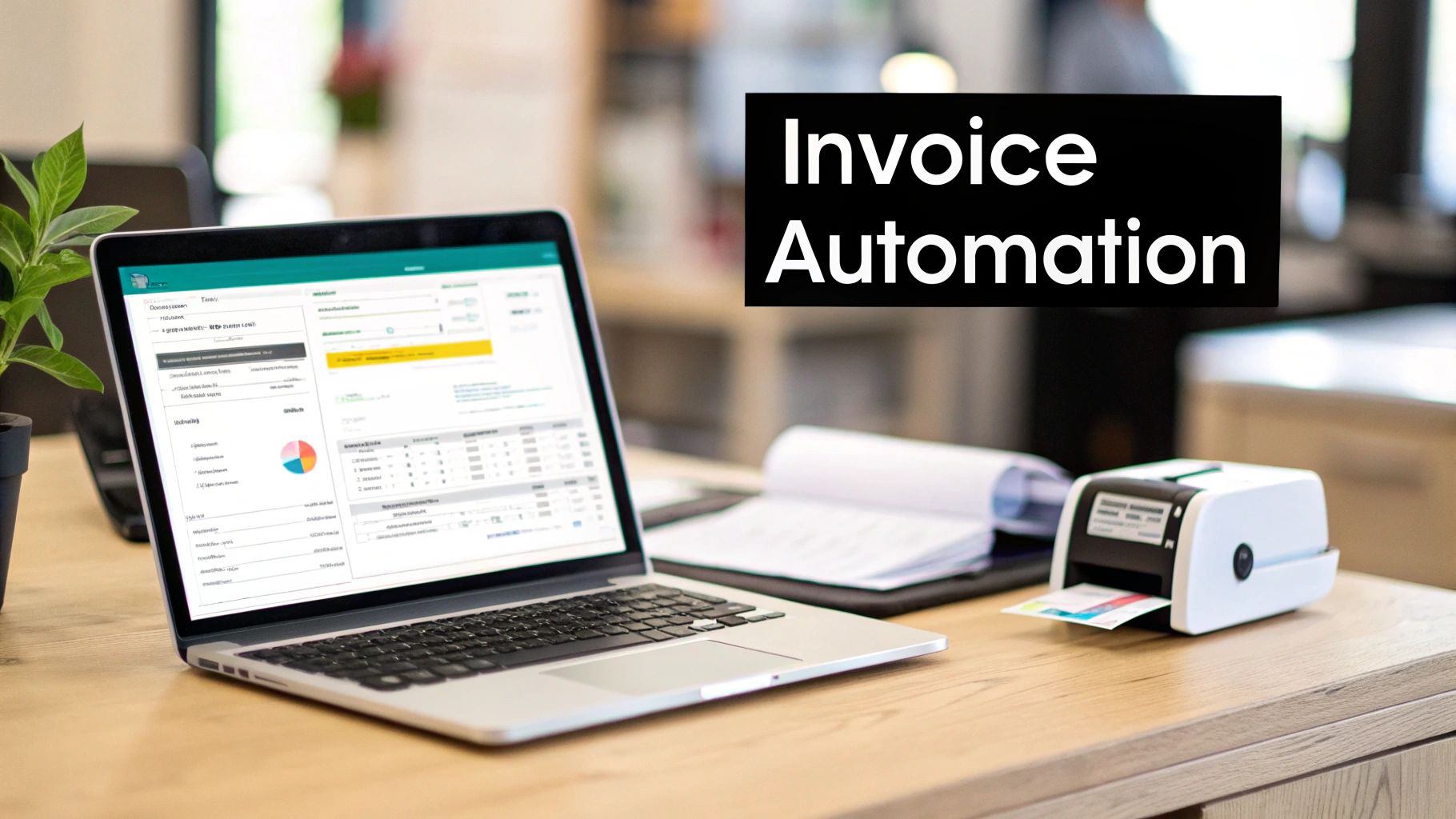
The core workflow involves ingesting invoices via email or scanners, where Optical Character Recognition (OCR) technology extracts key data like vendor name, invoice number, and amounts. The system then performs a three-way match against purchase orders (POs) and goods receipts, flags exceptions, and routes the invoice through a predefined digital approval workflow before scheduling payment.
Strategic Analysis & Benefits
Automating AP is a high-impact initiative because it directly affects cash flow, vendor relationships, and operational efficiency. A Fortune 500 manufacturer successfully used AP automation to process over 50,000 invoices monthly, reducing its processing cost per invoice by 60% and nearly eliminating late payment fees. This shift allowed their finance team to focus on strategic financial analysis rather than manual data entry.
Key Takeaway: The primary goal is not just speed, but data accuracy and process visibility. Automated validation and digital audit trails provide unprecedented control over company spend and significantly reduce the risk of duplicate payments or fraud.
Actionable Implementation Tips
- Standardize First: Begin by automating workflows for your highest-volume vendors who use standardized invoice formats. This creates early wins and builds momentum for handling more complex, non-standard invoices later.
- Integrate Core Systems: For maximum impact, ensure your AP automation tool (like those from SAP Ariba or Bill.com) integrates directly with your ERP or accounting software. This enables real-time PO matching and general ledger coding.
- Define Clear Approval Logic: Map out your approval hierarchy before implementation. Create role-based rules that automatically route invoices to the correct manager based on department, project code, or invoice amount.
- Set Validation Thresholds: Configure the system to flag invoices with discrepancies above a certain percentage or dollar amount for manual review, ensuring a human checks significant exceptions.
2. Lead Scoring and Sales Pipeline Automation
Sales pipeline automation transforms the often chaotic and subjective process of lead management into a data-driven, efficient system. This business process automation example uses intelligent algorithms to evaluate incoming leads based on demographic data, behavioral signals, and engagement patterns. It automatically prioritizes high-value prospects, routes them to the right sales representatives, and triggers nurturing sequences, ensuring that sales teams focus their energy on leads most likely to convert.
The workflow begins when a lead enters the system through a web form or marketing channel. The automation platform assigns points for specific attributes (e.g., job title, company size) and actions (e.g., visited pricing page, downloaded a whitepaper). Once a lead reaches a predefined score threshold, it is automatically qualified and assigned to a sales rep, triggering a notification and often an initial follow-up email.
Strategic Analysis & Benefits
Automating lead scoring directly impacts sales velocity and conversion rates by systematically separating high-intent buyers from early-stage researchers. For instance, a B2B SaaS company increased its sales-qualified lead handoff by 40% after implementing an automated scoring model. This allowed their sales development team to reduce time-to-first-contact for top-tier prospects from two days to just four hours, dramatically improving engagement and closing rates.
Key Takeaway: The goal is to create a predictive and responsive sales engine. Automation enables real-time prioritization, ensuring that sales reps engage the hottest leads at the peak of their interest, maximizing productivity and revenue potential.
Actionable Implementation Tips
- Define Scoring Criteria Collaboratively: Work closely with the sales team to define what constitutes a "qualified" lead. Use a shared document or platform to agree on point values for firmographic data (like industry) and behavioral data (like demo requests).
- Create a Unified Lead Profile: Integrate your CRM (like Salesforce) with website analytics and marketing automation tools (like HubSpot or Marketo). This creates a single source of truth for all lead interactions, enabling more accurate scoring.
- Establish Automated Routing Rules: Build workflows that instantly assign leads to specific sales reps or teams based on criteria such as territory, industry expertise, or product interest. This eliminates manual triage and response delays.
- Test and Iterate Scoring Models: Start with a pilot program on a segment of your incoming leads. Analyze the conversion rates of high-scoring leads versus low-scoring ones to validate and refine your model before a full rollout.
3. Employee Onboarding and Offboarding Workflows
Automating HR onboarding and offboarding workflows systematizes the entire employee lifecycle, from signing the offer letter to the final exit interview. This business process automation example uses integrated systems to manage document collection, provision system access, assign training, and coordinate cross-departmental tasks, ensuring a consistent, compliant, and positive experience for every employee.
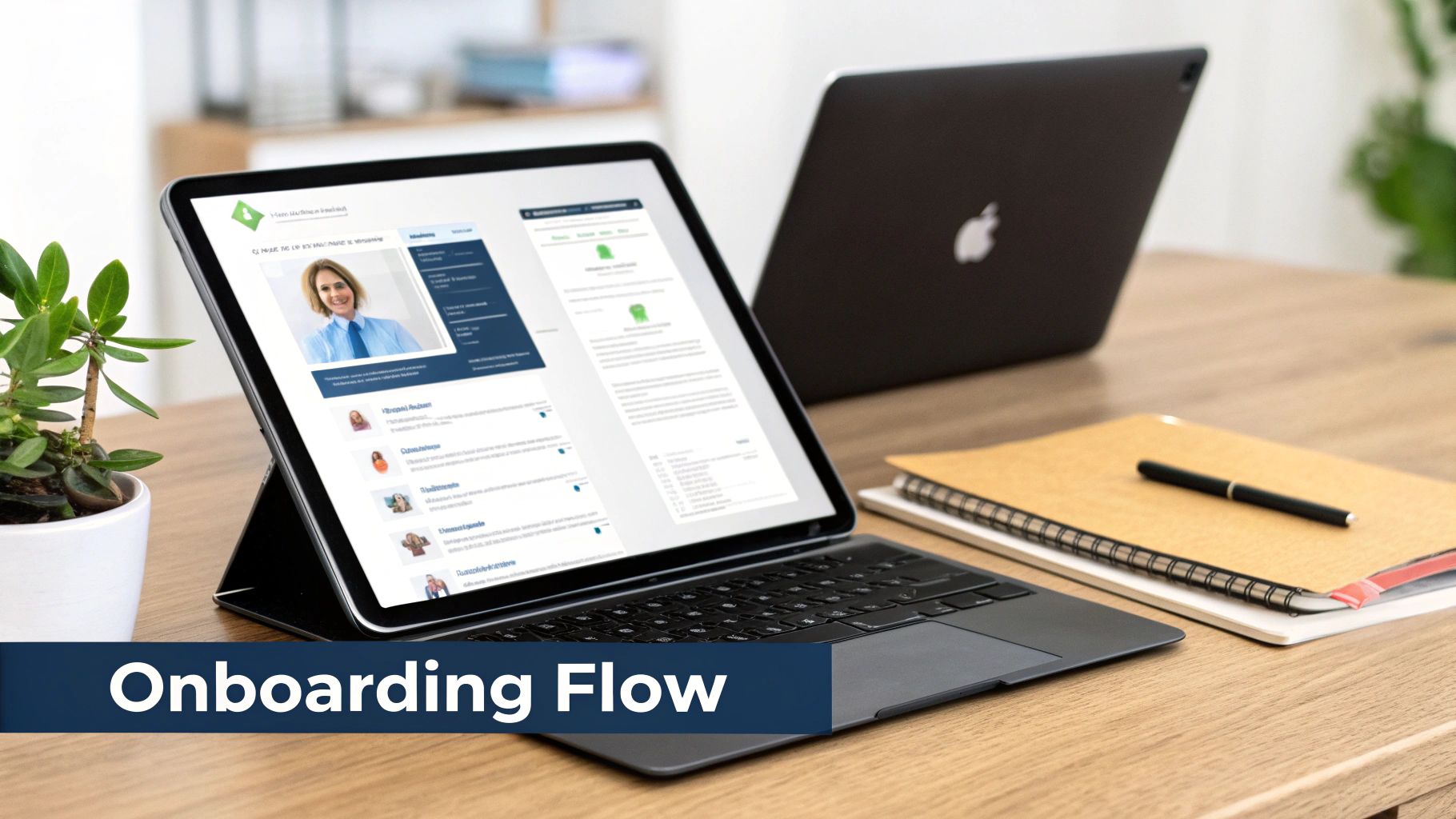
The core process begins when a candidate is marked as "hired" in an applicant tracking system. This triggers a sequence of automated actions: sending digital paperwork, creating user accounts in core business systems, notifying IT to prepare equipment, and scheduling orientation meetings. Offboarding workflows are similar but in reverse, ensuring access is revoked, company assets are returned, and knowledge transfer is completed.
Strategic Analysis & Benefits
Automating these critical HR functions has a profound impact on employee retention, operational security, and scalability. A fast-growing tech unicorn successfully used automation to reduce its new hire onboarding time from 21 days to just five. This allowed new team members to become productive faster and provided a standardized, high-quality experience across more than 50 global offices, significantly improving first-year employee satisfaction.
Key Takeaway: The primary goal is consistency and compliance, not just efficiency. Automation creates an immutable audit trail, ensuring every legal document is signed and every security step is taken, which is crucial for scaling companies and those in regulated industries.
Actionable Implementation Tips
- Create Role-Based Templates: Develop distinct onboarding checklists for different roles (e.g., engineering, sales, operations). This ensures each new hire receives the specific tools, training, and access permissions relevant to their job from day one.
- Integrate Key HR and IT Systems: Connect your HRIS (like Workday or BambooHR) with your IT service management tool (like Jira) and identity provider (like Okta). This enables seamless, automated provisioning and de-provisioning of accounts.
- Build Interactive Checklists: Use automation to create checklists that automatically notify the next person or department in the chain when a task is complete. For example, once HR confirms a background check, IT is automatically ticketed to ship a laptop.
- Incorporate Feedback Loops: Include automated sentiment surveys at key milestones (day 1, day 30, day 90) to monitor new hire satisfaction and identify areas for process improvement.
4. Customer Support Ticket Triage and Routing
Automating customer support ticket triage and routing converts a high-volume, reactive process into an intelligent, proactive system. This business process automation example uses technology to instantly analyze, categorize, and assign incoming customer requests to the right agent or resource. The result is a dramatic reduction in response times, a more balanced agent workload, and a significant boost in customer satisfaction.

The core workflow involves using Natural Language Processing (NLP) to scan incoming tickets for keywords, sentiment, and intent. Based on predefined rules, the system assigns a priority level, categorizes the issue (e.g., "Billing," "Technical Bug," "Feature Request"), and routes it to the agent or team with the appropriate skills. It can also identify duplicate tickets or automatically respond with relevant knowledge base articles for common queries.
Strategic Analysis & Benefits
Automating ticket routing is a high-leverage activity that directly impacts customer retention and operational scalability. A SaaS platform that implemented this automation reduced its average first response time from four hours to just 45 minutes, leading to a 25% increase in its Customer Satisfaction (CSAT) score. This allowed their support team to handle a 30% increase in ticket volume without adding headcount, focusing human effort on complex, high-value customer interactions.
Key Takeaway: The goal extends beyond speed; it's about delivering the right answer on the first touch. By intelligently matching issues with agent expertise, you minimize escalations and customer frustration, transforming support from a cost center into a loyalty driver.
Actionable Implementation Tips
- Integrate Help Desk & AI: Connect your help desk system (like Zendesk or Freshdesk) with an automation platform using APIs. This enables the flow of ticket data for analysis and automated routing actions.
- Build a Dynamic Knowledge Base: Use ticket data to identify common issues. Create and refine knowledge base articles to enable the system to deflect simple queries with automated self-service answers.
- Define Granular Routing Logic: Create custom routing rules based not just on category, but on agent expertise, language proficiency, customer tier, or product line. This ensures complex issues reach a specialist immediately.
- Set Up Smart Escalation Alerts: Configure real-time alerts for high-priority tickets, such as those with negative sentiment keywords or from VIP accounts, to ensure they receive immediate attention from senior staff.
5. Expense Report Processing and Reimbursement
Automating expense management eradicates the cumbersome process of manually collecting receipts, filling out spreadsheets, and chasing approvals. This business process automation example leverages mobile-first technology to capture, verify, and reimburse employee expenses, ensuring policy compliance and dramatically speeding up the entire cycle from submission to payment.
The workflow typically begins with an employee using a mobile app to snap a picture of a receipt. OCR technology instantly digitizes the data, categorizes the expense, and checks it against predefined company policies. The system then routes the report through an automated approval chain based on factors like amount and department before initiating a direct deposit reimbursement.
Strategic Analysis & Benefits
Automating expense reports delivers significant returns in operational efficiency and employee satisfaction. A global consulting firm, for instance, reduced its average reimbursement time from 21 days to just 3 days, boosting morale and freeing up consultants and finance staff from administrative burdens. This automation also provides real-time visibility into company-wide spending, enabling better budgeting and financial control.
Key Takeaway: The primary goal is to achieve policy compliance and data visibility at scale. Automated systems enforce spending rules consistently, preventing out-of-policy claims and providing finance leaders with a live dashboard of corporate T&E spend.
Actionable Implementation Tips
- Adopt a Mobile-First Approach: Choose a platform that prioritizes a seamless mobile experience for receipt submission and status tracking. A simple, intuitive app encourages timely submissions and high adoption rates.
- Integrate Financial Systems: Connect your expense management tool (like Expensify or SAP Concur) directly with your accounting and payroll systems. This API-driven integration automates general ledger updates and reimbursement payouts.
- Configure Dynamic Approval Workflows: Build multi-level approval logic that routes expenses based on amount, category, or employee level. For example, any expense over $1,000 could require an additional layer of VP approval.
- Leverage Analytics for Insights: Use the platform's built-in analytics to identify spending patterns by department, project, or vendor. This data is invaluable for negotiating corporate discounts and refining budget forecasts.
6. Contract Lifecycle Management and Renewal Alerts
Automating contract lifecycle management (CLM) transforms a static, high-risk administrative burden into a dynamic, strategic asset. This business process automation example creates a centralized digital repository for all company contracts, using rules-based workflows to track key dates, manage approvals, and trigger renewal alerts. It prevents costly missed renewal deadlines and ensures contractual obligations are consistently met.
The automated process begins with digitizing and indexing contracts, extracting critical data like effective dates, termination clauses, and renewal deadlines. The system then monitors these dates, automatically sending reminders to relevant stakeholders 90, 60, and 30 days in advance. This provides ample time for legal, finance, and procurement teams to review performance, renegotiate terms, or terminate unfavorable agreements.
Strategic Analysis & Benefits
Effective CLM automation directly mitigates financial and legal risk while unlocking hidden value in existing agreements. An enterprise-level Fortune 500 company used this approach to identify over $5 million in renegotiation opportunities by analyzing contract terms and vendor performance data ahead of renewals. Automating the process ensures that no contract "auto-renews" without a strategic review, turning a reactive task into a proactive cost-saving exercise.
Key Takeaway: The primary goal extends beyond simple reminders; it's about enabling proactive vendor management and strategic sourcing. Centralized data and automated alerts give teams the visibility and lead time needed to leverage better terms, consolidate vendors, and align contracts with current business objectives.
Actionable Implementation Tips
- Prioritize High-Value Contracts: Start by digitizing and automating the contracts associated with your top 20% of vendor spend. This focuses initial efforts on the agreements with the highest financial impact.
- Create a Renewal Dashboard: Build a centralized dashboard showing all upcoming renewal dates, assigned owners, and current review statuses. This provides at-a-glance visibility for leadership.
- Define Role-Based Access: Configure your CLM platform (like Icertis or Agiloft) with specific permissions for legal, finance, and department heads, enabling secure and efficient collaboration.
- Set Up Tiered Alerts: Implement an automated alert sequence that notifies stakeholders at 90, 60, and 30 days before renewal, ensuring multiple touchpoints and escalating urgency.
7. Order-to-Cash Process Automation
Order-to-Cash (O2C) automation connects the entire sales cycle, from the moment a customer places an order to the final step of payment reconciliation. This end-to-end business process automation example creates a seamless data flow between sales, fulfillment, and finance, ensuring accuracy and accelerating revenue realization. It eliminates manual handoffs that often cause delays, errors, and poor customer experiences.
The process typically starts when a new sales order is captured, automatically triggering inventory checks, fulfillment requests, and shipping coordination. Once the order is shipped, the system generates an accurate invoice and delivers it to the customer. Finally, it tracks payment status, sends automated reminders for overdue accounts, and reconciles incoming payments against open invoices in the accounting system.
Strategic Analysis & Benefits
Automating the O2C cycle is a powerful strategy for improving cash flow and operational visibility. A B2B distributor that implemented an integrated O2C platform reduced its Days Sales Outstanding (DSO) from 52 to just 32 days, dramatically improving its working capital. This was achieved by eliminating manual order entry delays and automating invoice delivery and payment reminders, which significantly shortened the time to get paid.
Key Takeaway: The ultimate goal is to accelerate the revenue cycle and reduce manual friction. An automated O2C process creates a single source of truth for order status, which enhances customer service and gives leadership a real-time view of cash flow health.
Actionable Implementation Tips
- Map the Full Journey: Involve sales, operations, and finance teams to map the current O2C process. Identify every manual touchpoint and data transfer point to pinpoint the biggest automation opportunities.
- Create a Unified Dashboard: Build a central dashboard that provides visibility into all stages: new orders, shipments, invoices, and payments. This helps teams proactively manage the entire cycle.
- Integrate Key Databases: Connect your ERP, inventory management, fulfillment, and accounting systems. Tools like NetSuite or Salesforce Billing offer pre-built connectors to facilitate this data synchronization.
- Automate Reconciliation Rules: Configure rules to automatically match incoming payments from common methods (like ACH or credit card) to their corresponding invoices, leaving only exceptions for manual review.
8. Procurement Request and Purchase Order Automation
Automating the procurement cycle transforms a complex, multi-step process into an efficient, transparent, and compliant workflow. This business process automation example uses software to manage everything from initial purchase requests to final vendor payment, ensuring that all spending aligns with company policies and budget constraints while dramatically reducing manual effort.
The process begins when an employee submits a purchase request through a digital form. The system automatically routes this request through a predefined approval hierarchy based on factors like department, expense category, and cost. Once approved, it automatically generates a purchase order (PO) from pre-approved vendor catalogs and sends it to the vendor, creating a clear audit trail from start to finish.
Strategic Analysis & Benefits
Automating procurement is a critical move for gaining control over organizational spending and mitigating risk. A large university system successfully deployed procurement automation to standardize purchasing across more than 20 departments, reducing unauthorized or "maverick" spending by 85%. This provided centralized visibility into departmental budgets and streamlined vendor management, ultimately improving negotiating power.
Key Takeaway: The primary goal is policy enforcement and budget control. Automation embeds compliance directly into the workflow, making it nearly impossible for employees to make out-of-policy purchases and providing real-time visibility into budget allocation.
Actionable Implementation Tips
- Build Tiered Approval Workflows: Configure multi-level approval chains that trigger based on specific criteria. For example, requests under $500 might only need a manager's approval, while those over $10,000 may require director and VP sign-off.
- Integrate Vendor & Item Catalogs: Connect your automation platform (like Coupa or SAP Ariba) to your vendor database and pre-approved item catalogs. This allows employees to select items quickly and ensures POs are generated with accurate pricing and part numbers.
- Connect to Your ERP/Accounting System: A direct integration is essential for real-time budget tracking. When a PO is approved, the system can automatically encumber the funds in your financial software, preventing overspending.
- Simplify Request Forms: Create standardized, easy-to-use digital forms for common requests. This reduces friction for employees and ensures all necessary information, like department codes and delivery locations, is captured accurately from the start.
9. HR Analytics and Talent Management Dashboard
Automating HR analytics transforms scattered employee data into a centralized, strategic asset. This business process automation example involves using technology to consolidate data from various HR systems (like HRIS, payroll, and performance management) into dynamic dashboards. This provides real-time insights into workforce metrics, talent pipelines, performance trends, and retention risks, empowering leaders to make proactive, data-driven decisions.
The core automation workflow involves setting up data connectors that pull information from disparate sources into a central analytics platform. The system then automatically cleans, aggregates, and visualizes this data into pre-configured dashboards. These dashboards can track everything from headcount and diversity metrics to employee engagement scores and flight risk, often with automated alerts for significant changes.
Strategic Analysis & Benefits
Automating HR analytics is a high-impact initiative that elevates the HR function from an administrative role to a strategic business partner. A Fortune 500 company used this approach to create predictive models that identified high-potential employees at risk of leaving, allowing them to reduce unplanned attrition by 20% through targeted retention efforts. This shift prevents knowledge loss and saves significant recruitment costs.
Key Takeaway: The primary goal is to move beyond reactive reporting to proactive and predictive talent management. Automated dashboards provide the visibility needed to identify skill gaps, forecast hiring needs, and mitigate retention risks before they impact the bottom line.
Actionable Implementation Tips
- Integrate Key Data Sources: Start by connecting your core systems like your HRIS (e.g., BambooHR), performance management tools (e.g., Lattice), and payroll software. This creates a unified "single source of truth" for all people data.
- Create Role-Based Views: Develop distinct dashboards for different stakeholders. Executives need high-level views on overall workforce health, while department managers require granular data on their specific team's performance and engagement.
- Establish Real-Time Alerts: Configure automated notifications for critical metric changes. For example, set an alert if a department’s voluntary turnover rate exceeds a predefined threshold or if diversity hiring goals are not on track.
- Leverage Predictive Models: Use the platform’s capabilities to build predictive models that identify flight-risk employees based on factors like tenure, performance reviews, and compensation history, enabling proactive retention conversations.
10. Compliance Monitoring and Regulatory Reporting Automation
Automating compliance and regulatory reporting transforms a high-stakes, manual-intensive function into a proactive, data-driven process. This business process automation example uses technology to continuously monitor operations against legal and industry standards, automatically generate reports, and flag potential violations in real-time. This approach drastically reduces compliance risk, simplifies audits, and ensures timely regulatory submissions.
The core workflow involves connecting a central compliance platform to various operational systems (like CRM, ERP, and HRIS). The system uses predefined rules based on regulations like HIPAA, GDPR, or AML to continuously scan for non-compliant activities or data. It then automatically compiles evidence, generates formatted reports for regulatory bodies, and creates comprehensive, immutable audit trails.
Strategic Analysis & Benefits
Automating compliance is a crucial defensive strategy in heavily regulated industries, protecting the business from fines, reputational damage, and legal action. For instance, a fintech company automated its Anti-Money Laundering (AML) and Know Your Customer (KYC) monitoring for over 10,000 customers. This led to a 70% reduction in false positives, allowing its compliance team to focus on investigating high-risk alerts rather than sifting through thousands of benign transactions.
Key Takeaway: The primary goal extends beyond simple reporting; it's about embedding continuous, proactive compliance into daily operations. Automated monitoring detects issues as they happen, not months later during a manual audit, fundamentally reducing organizational risk.
Actionable Implementation Tips
- Define Rules with Experts: Partner directly with your compliance and legal teams to translate complex regulatory text into specific, machine-readable rules and logic for the automation platform.
- Integrate Data Sources: Connect the compliance tool (like those from MetricStream or AuditBoard) to key operational databases. This allows the system to automatically detect violations, such as unauthorized access to sensitive patient data in a healthcare system.
- Build Real-Time Dashboards: Create centralized dashboards that display a live compliance status for different business areas. This provides leadership with an immediate, high-level view of organizational risk.
- Automate Policy Updates: Set up triggers that notify relevant personnel and update monitoring rules automatically when regulations change, ensuring the system never becomes outdated.
Top 10 Business Process Automation Examples Comparison
| Solution | Complexity 🔄 | Resource & Integration ⚡ | Expected Outcomes 📊⭐ | Ideal Use Cases 💡 | Key Advantages ⭐ |
|---|---|---|---|---|---|
| Invoice Processing and Accounts Payable Automation | High 🔄🔄🔄 | Medium-High ⚡⚡⚡ | Shortens cycle days→hours; >90% fewer errors; ROI 200–300% 📊 | High-volume finance teams, multi-currency B2B | OCR + 3-way matching, audit trails, early-pay discounts |
| Lead Scoring and Sales Pipeline Automation | Medium 🔄🔄 | Medium ⚡⚡ | Higher conversion; 20–30% shorter cycles; ROI 150–250% 📊 | B2B SaaS, sales-led organizations with CRM data | Prioritizes leads, predictive scoring, automated nurture |
| Employee Onboarding and Offboarding Workflows | Medium-High 🔄🔄🔄 | Medium ⚡⚡ | Onboarding weeks→days; better compliance & retention; ROI 100–180% 📊 | High-hiring or distributed companies | Role templates, e-signatures, automated access provisioning |
| Customer Support Ticket Triage and Routing | Medium 🔄🔄 | Medium ⚡⚡ | Faster first-response/resolution; higher CSAT; ROI 120–200% 📊 | SaaS, e‑commerce, high-volume support centers | AI categorization, sentiment triage, intelligent routing |
| Expense Report Processing and Reimbursement | Low-Medium 🔄🔄 | Low-Medium ⚡⚡ | Reimbursements weeks→days; fewer policy violations; ROI 80–150% 📊 | Consulting, traveling employees, mid-size firms | Mobile OCR capture, policy checks, direct-deposit payouts |
| Contract Lifecycle Management and Renewal Alerts | High 🔄🔄🔄 | High ⚡⚡⚡ | Prevents missed renewals; drives renegotiation savings; ROI 200–400% 📊 | Enterprises with many vendor contracts/high spend | Renewal alerts, key-term extraction, centralized repository |
| Order-to-Cash Process Automation | High 🔄🔄🔄 | High ⚡⚡⚡ | O2C 45→7–10 days; lower DSO; faster cash realization; ROI 150–300% 📊 | B2B distributors, manufacturing, high-order volumes | End-to-end order validation, invoice & payment reconciliation |
| Procurement Request and Purchase Order Automation | Medium 🔄🔄 | Medium ⚡⚡ | Approval time 5 days→hours; enforces policy; ROI 100–200% 📊 | Decentralized spend orgs, universities, healthcare | Budget checks, PO automation, reduces maverick spend |
| HR Analytics and Talent Management Dashboard | Medium-High 🔄🔄🔄 | High ⚡⚡⚡ | Better retention & hiring decisions; reduced attrition; ROI 80–150% 📊 | Large orgs tracking talent, succession planning | Consolidated KPIs, attrition prediction, skills gap analysis |
| Compliance Monitoring and Regulatory Reporting Automation | High 🔄🔄🔄 | High ⚡⚡⚡ | Fewer violations; simpler audits; high ROI from avoided penalties 📊 | Regulated industries (finance, healthcare, fintech) | Continuous monitoring, automated reports, audit trails |
From Examples to Execution: Your Next Steps in Automation
Throughout this guide, we've journeyed across departments, from Finance and HR to Sales and Customer Support, dissecting a wide range of business process automation examples. The common thread weaving through these diverse applications is a powerful truth: automation is no longer a futuristic concept reserved for massive enterprises. It is a present-day imperative for any organization aiming for operational excellence, scalability, and strategic agility.
We've seen how transforming manual invoice processing frees up finance teams for strategic analysis and how automating employee onboarding creates a seamless, positive experience from day one. These are not just isolated efficiency gains; they represent a fundamental shift in how work gets done. By systemizing the predictable, you empower your most valuable asset, your people, to focus on the unpredictable, creative, and high-impact work that truly drives growth.
Synthesizing the Core Principles of Successful Automation
Distilling the success factors from the examples of invoice processing, lead scoring, and customer ticket routing reveals a clear blueprint for implementation. Simply buying a tool is not a strategy. True transformation comes from a methodical approach grounded in a few key principles.
- Strategic Selection is Paramount: The most successful automation projects begin not with the most complex process, but with the one that offers the best balance of high impact and low complexity. Processes like expense report approvals or HR document collection are often ideal starting points. They deliver tangible, quick wins that build crucial momentum and organizational buy-in for more ambitious projects.
- Process Clarity Precedes Technology: Automation magnifies the efficiency of a good process but also accelerates the chaos of a bad one. Before writing a single line of code or configuring any software, the most critical step is to map the existing workflow. Identify bottlenecks, redundant steps, and decision points. This foundational work ensures you're automating a streamlined process, not just paving over existing inefficiencies.
- The Power of Integration: A standalone automated process is useful, but an integrated one is transformative. The true potential of automation is unlocked when systems communicate seamlessly. Connecting your CRM to your marketing automation platform, or your procurement system to your ERP, creates a unified data flow that eliminates manual data entry, reduces errors, and provides a holistic view of business operations.
Your Actionable Roadmap to Automation
Moving from understanding these business process automation examples to implementing them within your own organization can feel daunting. The key is to break the journey down into manageable, actionable steps. Use the following framework as your guide.
- Identify Your "Quick Win" Candidate: Gather your team and brainstorm a list of manual, repetitive tasks. For each one, score it based on its frequency, time consumption, and business impact. Prioritize the process that scores highest on all three while being relatively straightforward to map and understand.
- Document and Optimize the "As-Is" Process: Create a simple flowchart of the chosen process as it exists today. Involve the people who perform the task daily; they are your subject matter experts. Challenge every step: Is this necessary? Can it be simplified? Can this approval be automated?
- Define Success Metrics (KPIs): How will you know if your automation project is successful? Establish clear, measurable KPIs before you begin. For invoice processing, this might be "reduce average processing time by 50%." For onboarding, it could be "improve new hire satisfaction scores by 15%."
- Embrace an Agile, Iterative Approach: The era of monolithic, multi-year IT projects is over. Modern automation thrives on agility. The goal is not to build a perfect, all-encompassing system from the start. Instead, build a minimum viable product (MVP) for your automated workflow, deploy it to a small group, gather feedback, and iterate rapidly. This approach minimizes risk and ensures the final solution precisely meets the needs of its users.
The journey from manual processes to an automated ecosystem is a marathon, not a sprint. By starting small, proving value, and building incrementally, you can create a powerful flywheel of continuous improvement that touches every corner of your organization. The goal is not just to do the same things faster, but to fundamentally redesign how your business operates, creating a more resilient, intelligent, and human-centric workplace.
Ready to move beyond theory and start building? FlyDash is the AI-powered platform that enables your business teams to build the exact internal tools and automated workflows they need, simply by describing them. Connect your data, design your process, and go from concept to a functional application in minutes, not months. Explore FlyDash and start your automation journey today.
Ready to Build Your App?
Turn your idea into a production-ready React Native app in minutes.
Free tools to get you started
Free AI PRD Generator
Generate a professional product requirements document in seconds. Describe your product idea and get a complete, structured PRD instantly.
Try it freeFree AI App Name Generator
Generate unique, brandable app name ideas with AI. Get creative name suggestions with taglines, brand colors, and monogram previews.
Try it freeFree AI App Icon Generator
Generate beautiful, professional app icons with AI. Describe your app and get multiple icon variations in different styles, ready for App Store and Google Play.
Try it freeFrequently Asked Questions
RapidNative is an AI-powered mobile app builder. Describe the app you want in plain English and RapidNative generates real, production-ready React Native screens you can preview, edit, and publish to the App Store or Google Play.