The 12 Best Low Code Development Platforms of 2026: An In-Depth Guide
Discover the 12 best low code development platforms in our 2026 review. Compare features, pricing, and use cases to find the perfect fit for your team.
By Damini
14th Feb 2026
Last updated: 14th Feb 2026

In a world demanding rapid innovation, traditional coding timelines are no longer sustainable for every project. The pressure is on for teams to ship internal tools, dashboards, and MVPs faster than ever. This is where low-code development platforms enter the picture, transforming how we build software by replacing complex lines of code with visual interfaces, drag-and-drop components, and pre-built logic.
But with a crowded market, how do you distinguish the true accelerators from the overhyped tools? This guide cuts through the noise. We provide an in-depth analysis of the 12 best low code development platforms available today, focusing on real-world use cases, honest limitations, and practical advice for teams of all sizes.
This resource is designed to help you make an informed decision quickly. For each platform, you will find:
- A concise summary of its core strengths.
- Key features and target use cases.
- A transparent look at pricing structures.
- Practical pros and cons based on real user experiences.
We explore solutions perfect for enterprise-wide process automation, nimble internal tools for startups like those built with FlyDash, and everything in between. Whether you're an Operations Manager automating workflows, a Startup Founder building an MVP, or a developer accelerating a project, our detailed comparisons, screenshots, and direct links will help you select the right platform to build faster without sacrificing power or flexibility.
1. FlyDash
FlyDash stands out in the crowded market of the best low code development platforms by pioneering an AI-first approach to building internal tools. Instead of relying solely on drag-and-drop interfaces, it empowers both technical and non-technical users to generate complete applications, including frontend, backend, and database, simply by describing their needs in plain English or providing a sketch. This unique workflow dramatically accelerates the journey from an initial idea to a functional, shareable application, often in just a few minutes.
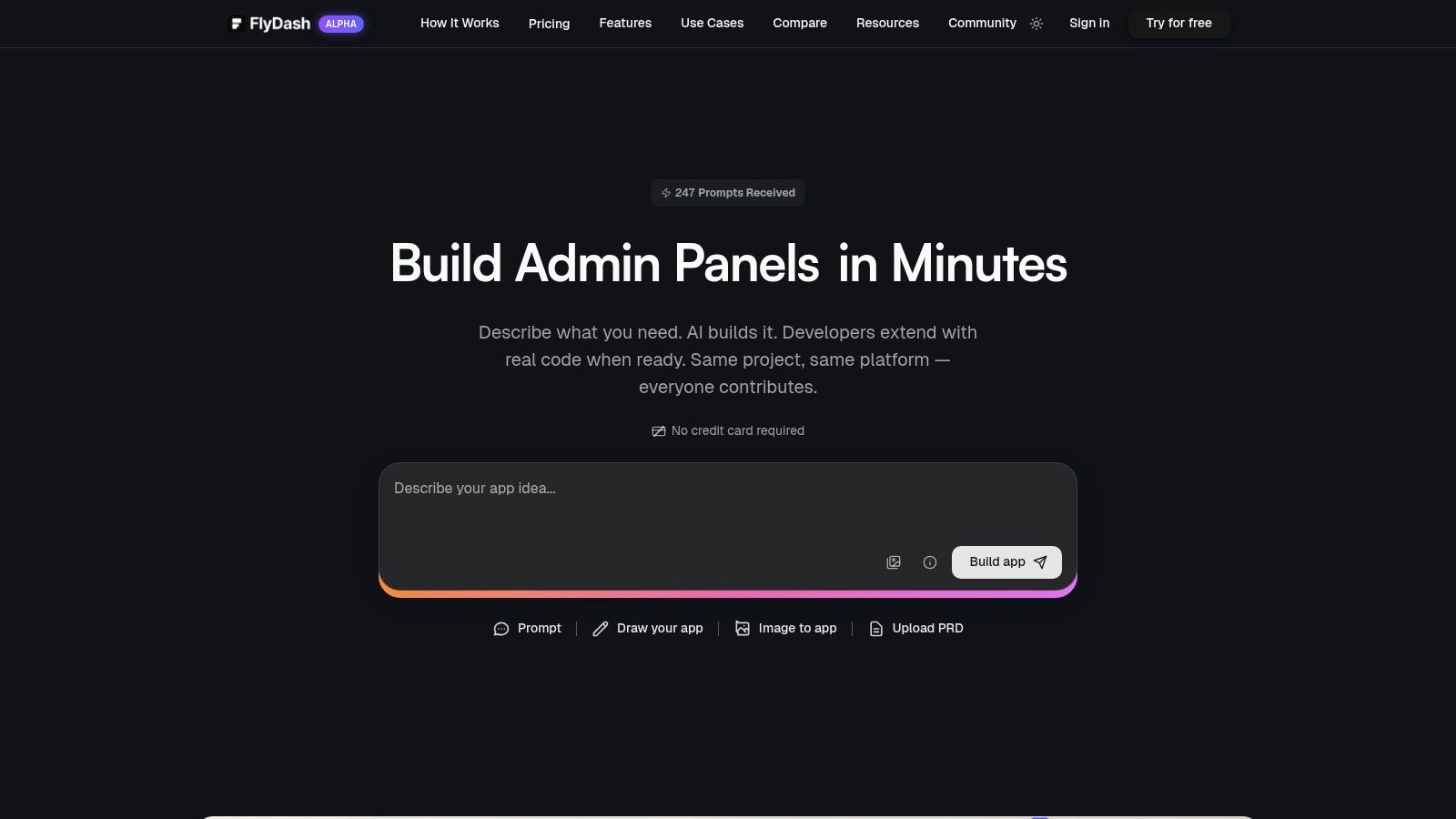
This platform is specifically designed for high-velocity teams where founders, product managers, and operations leaders need to quickly build and iterate on tools like admin panels, CRMs, or financial dashboards. The real-time, collaborative environment, which features live cursors and instant syncing similar to Google Docs or Figma, allows cross-functional teams to co-create and refine applications seamlessly. Business users can build the initial version, and developers can then step in, connect to real data sources (like REST APIs or databases), and add complex business logic.
Key Differentiator: The "No-Code to Code" Escape Hatch
Perhaps FlyDash's most significant advantage is its commitment to avoiding vendor lock-in. The platform generates clean, production-ready React and React Native (Expo) code that can be opened in a code editor, linked to a Git repository, and exported for deployment anywhere. This "escape hatch" ensures that an application built on FlyDash is not a dead end; it's a powerful starting point that can be fully customized and scaled by an engineering team without requiring a complete rewrite.
Best For:
- Startup Founders & PMs: Rapidly prototyping and deploying internal dashboards and MVPs.
- Operations & Finance Teams: Building custom tools for data tracking, reporting, and workflow automation without waiting on engineering resources.
- Developers: Accelerating the creation of standard internal UIs and admin panels to focus on core business logic.
Pricing: FlyDash offers a free tier to get started, with the ability to "upgrade anytime" to a paid plan. However, specific pricing details for the paid tiers are not publicly listed on the website.
Website: https://flydash.io
2. Microsoft Power Apps
Microsoft Power Apps is a cornerstone of the low-code ecosystem, particularly for organizations heavily invested in the Microsoft 365 and Azure platforms. Its primary strength lies in its profound integration with services like SharePoint, Teams, and Dynamics 365, allowing teams to rapidly build and deploy custom internal applications that solve specific business process challenges. It excels at creating task-specific tools, such as inventory management apps, inspection forms, or employee onboarding portals that leverage existing enterprise data and user identities.
The platform distinguishes itself with Dataverse, a scalable data service that provides secure storage and robust data modeling capabilities directly within the Power Platform. This, combined with enterprise-grade governance and security controls, makes it one of the best low-code development platforms for large companies with strict compliance and administration requirements. The recent integration of AI through Copilot further accelerates development, enabling users to build apps and data tables using natural language.
Key Details & Pricing
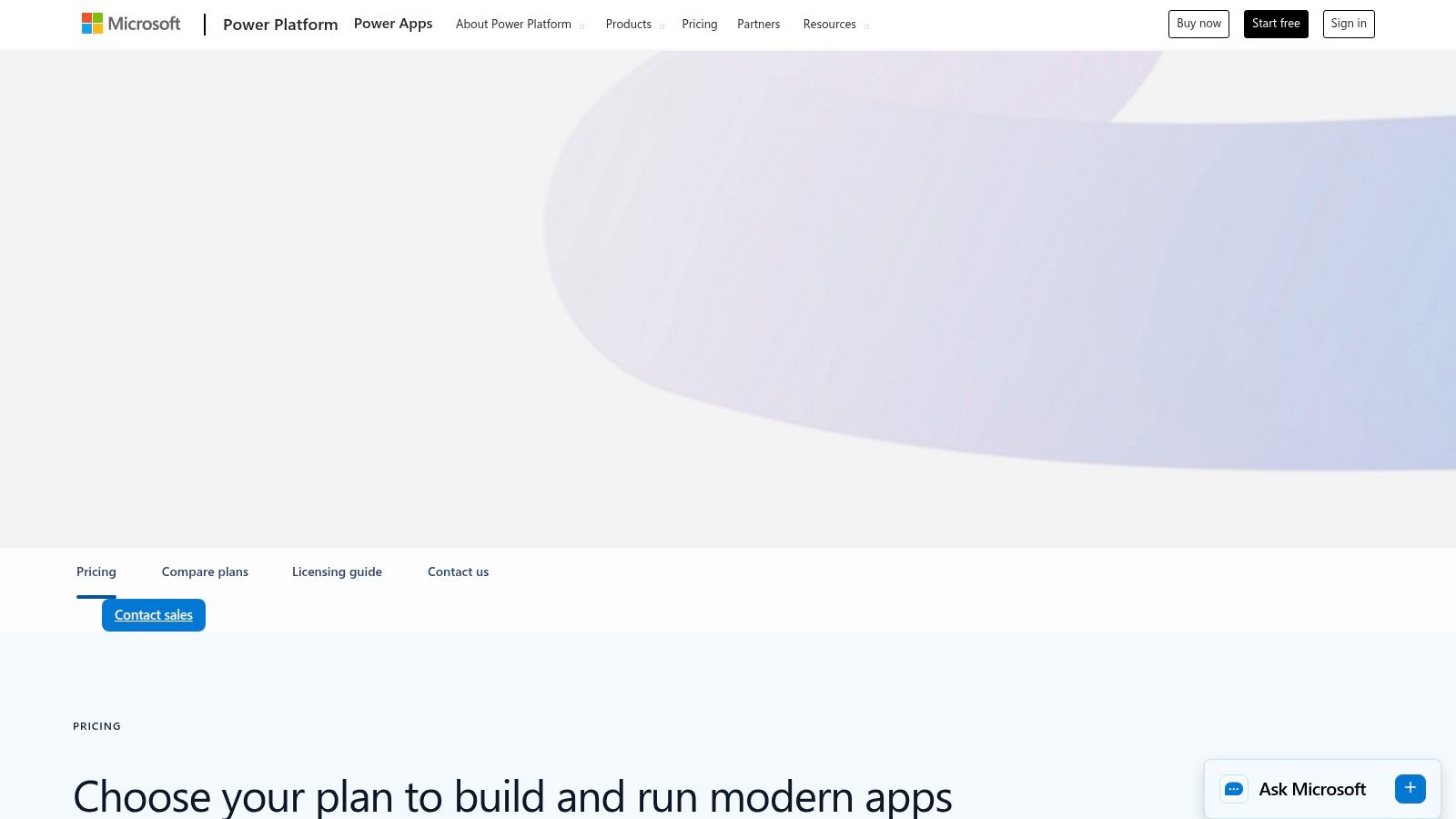
The licensing model can be intricate. While some Power Apps usage is included with certain Microsoft 365 plans, unlocking premium connectors (for systems like Salesforce or SQL Server) and Dataverse capacity requires a paid license. Pricing is typically on a per-user, per-app, or per-user, unlimited apps basis, starting from $5 per user/app/month.
- Best Use Case: Building internal business process applications and portals within the Microsoft ecosystem.
- Unique Feature: Deep, native integration with Microsoft 365, Teams, and Dynamics 365, plus robust governance via Dataverse.
- Pros: Enterprise-grade security, extensive connector library, strong administrative controls.
- Cons: Complex licensing can be a barrier, and costs can escalate with premium features.
Website: https://www.microsoft.com/en-us/power-platform/products/power-apps/pricing
3. Google AppSheet
Google AppSheet is the go-to no-code/low-code solution for teams deeply embedded in the Google Workspace ecosystem. Its core strength is the ability to transform data from sources like Google Sheets, Drive, and BigQuery into powerful, custom mobile and web applications without writing a single line of code. This makes it exceptionally effective for digitizing manual processes, such as field data collection, inventory tracking, or project management, where the foundational data already lives within Google's suite of tools.
The platform shines with its intelligent, data-first approach to app creation. AppSheet automatically infers data types and relationships to generate a functional app prototype, which users can then customize through a visual editor. It distinguishes itself with built-in offline synchronization and automation capabilities, allowing users to capture data on the go and trigger workflows, like sending email notifications, upon data changes. For organizations seeking rapid deployment of straightforward, data-driven apps, AppSheet is one of the best low-code development platforms available.
Key Details & Pricing
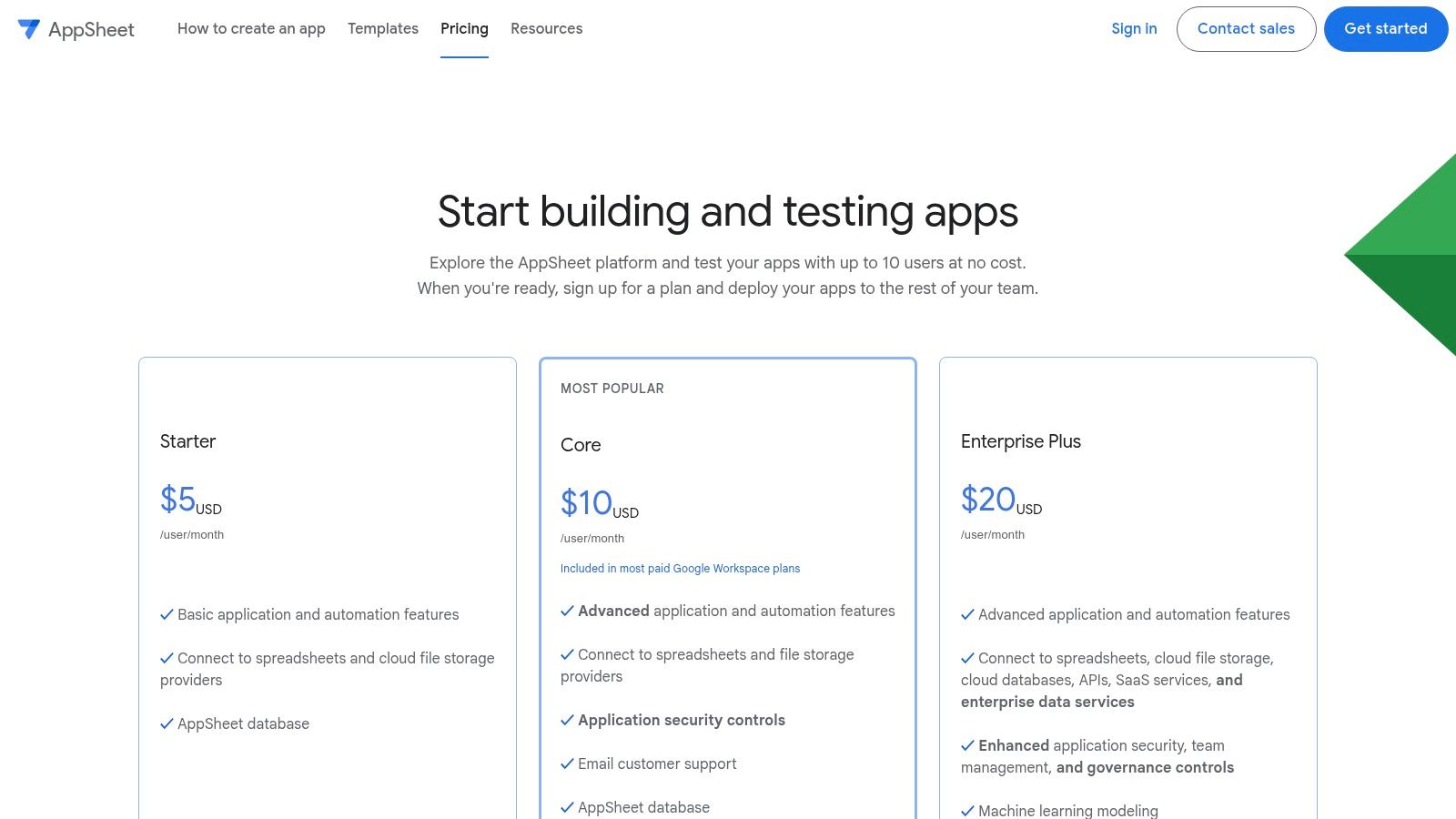
AppSheet offers a uniquely accessible entry point: you can build, test, and share your apps with up to 10 users for free, which is ideal for prototyping and small team use. Paid plans are required to deploy apps to a wider audience or to unlock advanced features like security controls and enterprise data source connections. Pricing is structured on a per-user, per-month basis, with plans starting at $5 per user/month.
- Best Use Case: Building mobile-first data collection and process management apps for teams using Google Workspace.
- Unique Feature: Automatic app creation from data sources like Google Sheets, with robust offline data synchronization.
- Pros: Seamless Google Workspace integration, very generous free tier for prototyping, simple and predictable pricing.
- Cons: Less ideal for workflows outside the Google ecosystem; advanced governance and integrations are locked behind higher-priced tiers.
Website: https://about.appsheet.com/pricing
4. Retool
Retool has carved out a powerful niche as one of the best low-code development platforms specifically for building internal tools. It is engineered for developers and technical teams who need to create custom admin panels, dashboards, and operational applications with speed and precision. The platform shines by combining a drag-and-drop interface of pre-built components with the ability to write custom JavaScript anywhere, offering a perfect blend of high-speed assembly and granular control for complex logic.
Its core differentiator is this developer-centric approach. Retool connects natively to nearly any database or API, allowing teams to build UIs directly on top of their existing data sources without moving or syncing data. Features like Retool Workflows for backend automation, Retool Portals for secure external-facing apps, and enterprise-grade versioning with Git integration make it exceptionally versatile for building mission-critical tools. The ability to self-host provides an essential option for companies with strict data security or compliance requirements.
Key Details & Pricing
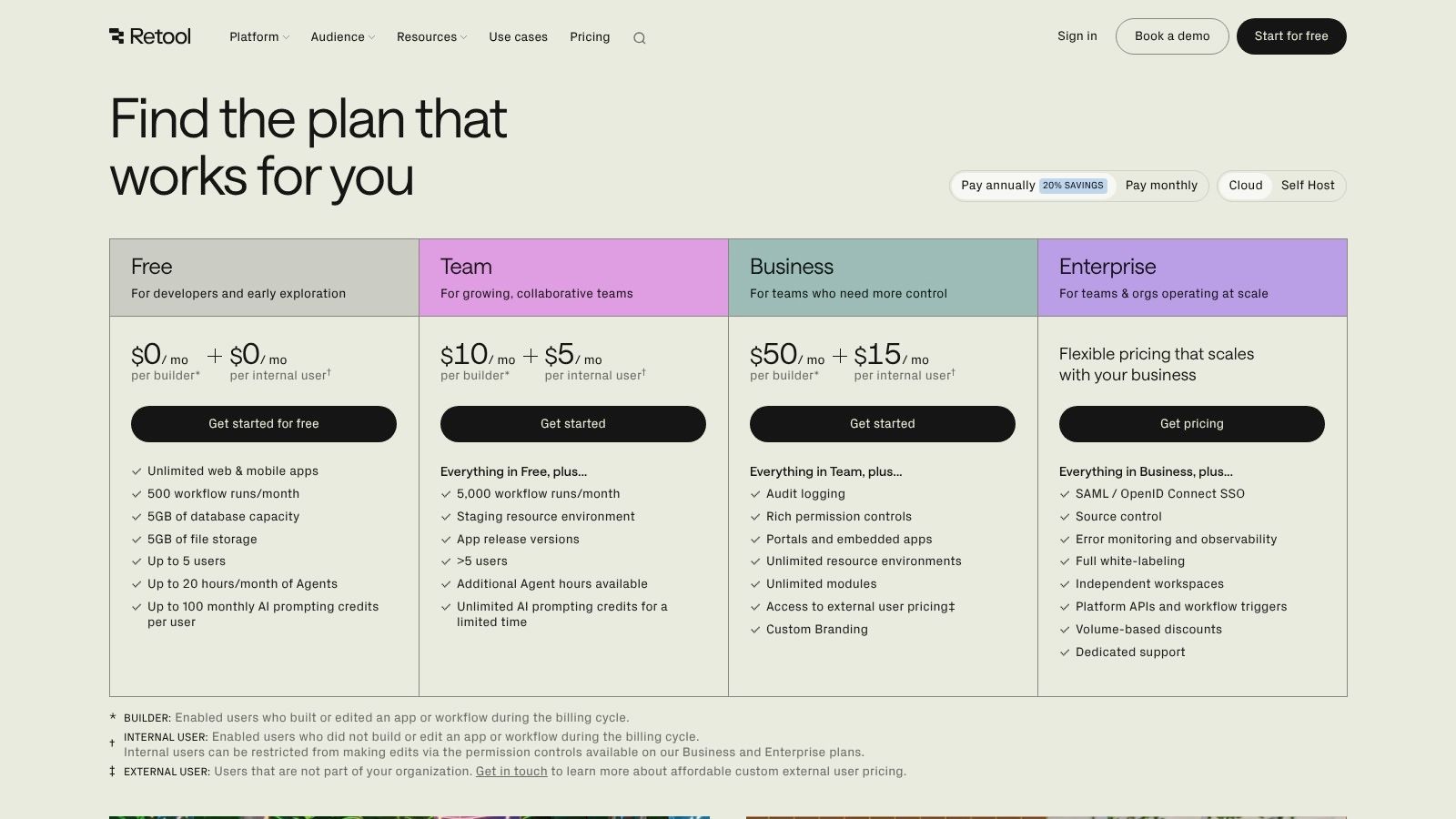
Retool's pricing model is based on a combination of monthly per-seat fees for builders and usage-based pricing for end-users of apps. A free plan is available for small teams to get started. Paid plans (Team, Business, Enterprise) scale with features like granular permissions, audit logs, and dedicated support. The usage-based component, particularly for external users via Portals, requires careful usage forecasting to manage costs effectively.
- Best Use Case: Creating custom internal tools like admin panels, database GUIs, and operational dashboards.
- Unique Feature: The hybrid low-code/pro-code model allowing custom JavaScript and CSS alongside a rich component library.
- Pros: Extremely fast build speed for data-heavy internal tools, flexible hosting options (cloud or self-hosted), and robust security features.
- Cons: The seat-plus-usage pricing model can be complex to forecast, and external-user costs can scale quickly.
Website: https://retool.com/pricing
5. Mendix
Mendix, a Siemens business, is an enterprise-grade platform designed for building complex, mission-critical applications at scale. It distinguishes itself by supporting the entire application lifecycle, from ideation and development to deployment and maintenance, all within a unified environment. The platform is particularly suited for organizations that need to create a portfolio of interconnected applications with sophisticated logic, integrations, and user experiences, making it a powerful choice among the best low-code development platforms for large-scale digital transformation.
A key differentiator for Mendix is its cloud-native architecture and flexible deployment options. It allows developers to deploy applications anywhere, including public clouds like AWS and Azure, private clouds, or on-premises using Kubernetes. This adaptability, combined with robust governance, security, and performance management tools, gives enterprises full control over their application landscape. The extensive Mendix Marketplace further enhances development speed by offering a wide array of pre-built widgets, modules, and connectors.
Key Details & Pricing
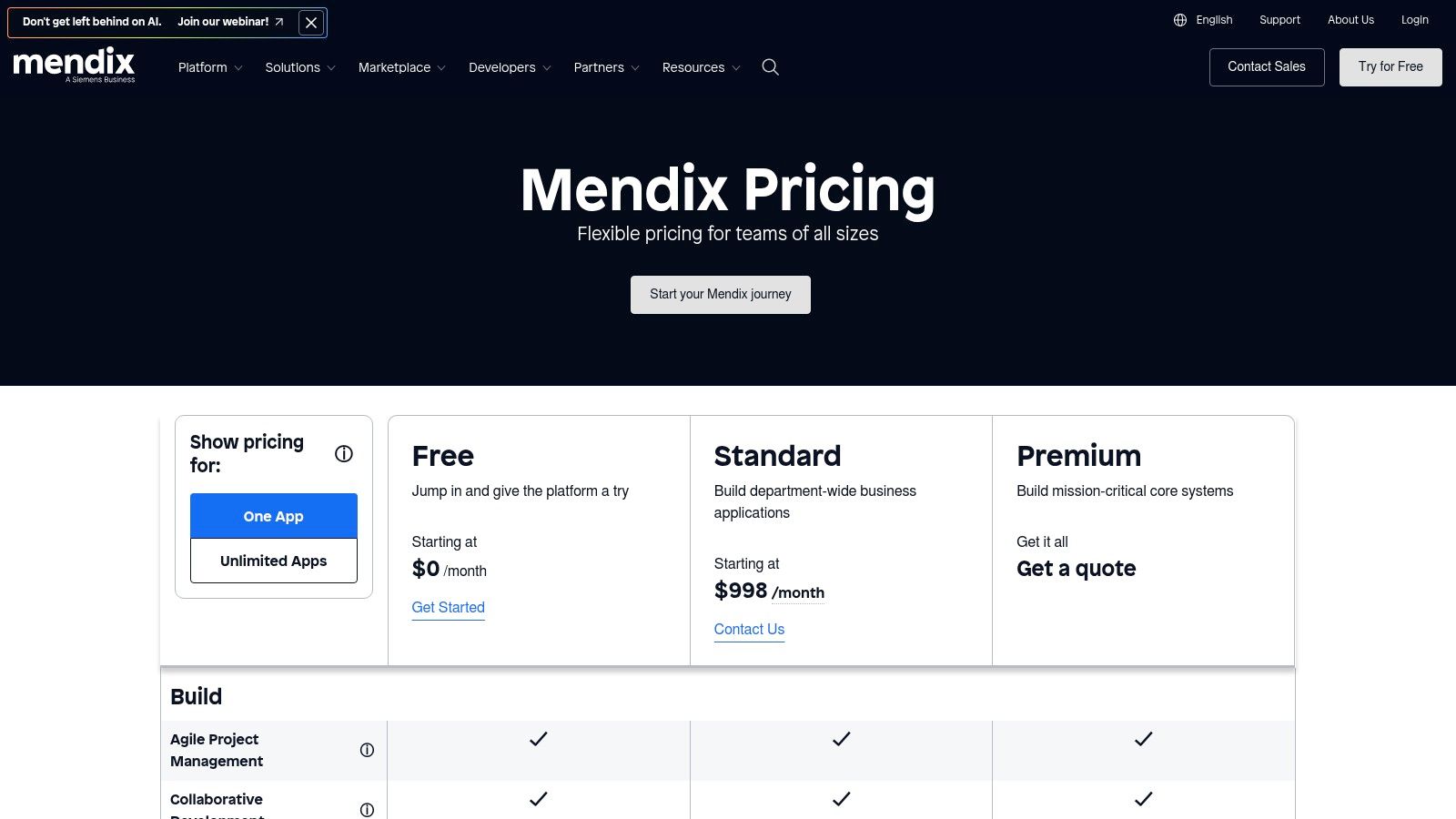
Mendix offers a generous free tier that is ideal for individual developers, learning, and small-scale prototyping. For professional and enterprise use, pricing is tiered and depends on the number of users and required features. The standard plan starts at a fixed price, but costs can increase significantly for larger deployments with more advanced needs, and compute resources are often priced separately.
- Best Use Case: Building complex, multi-channel enterprise applications with stringent governance and flexible deployment needs.
- Unique Feature: Full lifecycle management and multi-cloud/on-premises deployment flexibility, including Kubernetes support.
- Pros: Robust governance and scaling for critical apps, extensive Marketplace, flexible deployment choices.
- Cons: Pricing can jump for larger deployments, and some packages may not include compute resources.
Website: https://www.mendix.com/pricing/
6. OutSystems
OutSystems is an enterprise-grade low-code platform designed for building mission-critical, scalable applications with a strong emphasis on performance and security. It enables full-stack visual development, from front-end user interfaces to complex back-end logic and data models. The platform is particularly suited for large organizations looking to modernize legacy systems, build complex customer-facing portals, or create sophisticated internal business systems that require high performance and robust security.
The platform distinguishes itself with built-in DevSecOps and performance tooling, which automates critical parts of the application lifecycle, including continuous integration and continuous delivery (CI/CD), security scanning, and dependency management. This makes it one of the best low-code development platforms for teams that need to deliver and maintain complex applications at scale without sacrificing quality or governance. The recent addition of AI and agent-building capabilities further extends its power, allowing developers to embed intelligent automation directly into their applications.
Key Details & Pricing
OutSystems offers a free, full-featured Personal Edition, which is excellent for individual developers, learning, and experimentation. For commercial use, pricing is tailored to specific enterprise needs and typically requires a direct sales quote. The model is based on the number of end-users and the complexity of the applications, making it a significant investment for large-scale deployments.
- Best Use Case: Developing complex, scalable, and secure enterprise web and mobile applications.
- Unique Feature: Integrated DevSecOps, advanced performance monitoring, and full-stack visual development capabilities.
- Pros: Strong enterprise governance and support, mature platform for large-scale applications, excellent for legacy system modernization.
- Cons: Commercial pricing is not transparent and can be very high for large user bases.
Website: https://www.outsystems.com/
7. Appian
Appian is a heavyweight in the low-code space, designed for orchestrating complex, end-to-end business processes. It excels by unifying low-code app development with process automation, workflow, robotic process automation (RPA), and AI into a single platform. This makes it an ideal choice for large enterprises in regulated industries like finance, insurance, and government that need to build sophisticated, mission-critical applications that automate intricate operational workflows.
The platform's Data Fabric capability is a key differentiator, allowing developers to connect to and unify data from various enterprise systems without moving it, which simplifies building a holistic view of business operations. Appian’s strong focus on process mining and case management enables organizations to not only build applications but also to discover, design, and automate their core processes for maximum efficiency. Its robust governance and security features make it one of the best low-code development platforms for applications that must meet strict compliance and auditability standards.
Key Details & Pricing
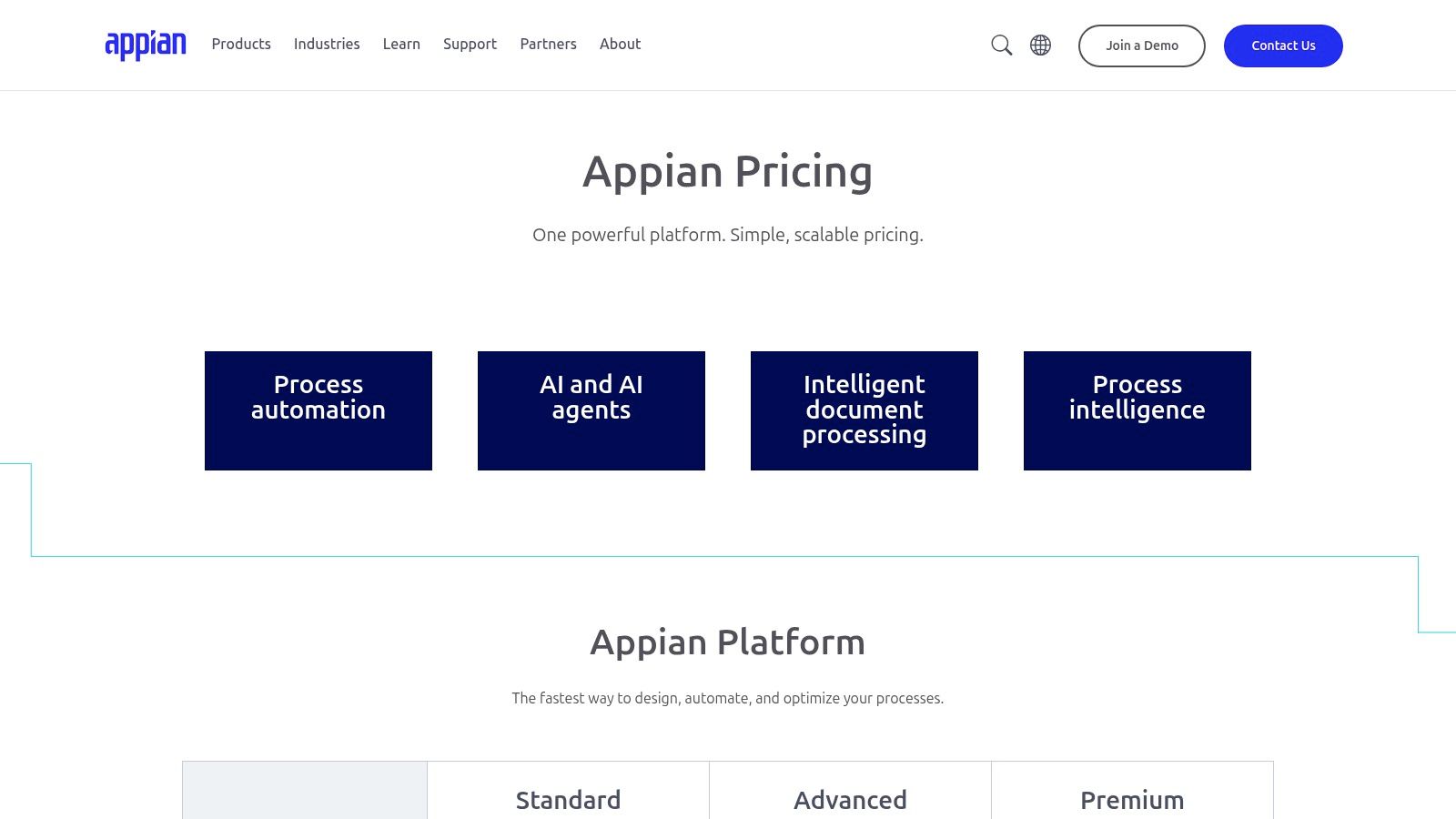
Appian's pricing is tailored to enterprise needs, and specific list prices are not publicly available; prospective customers must engage with the sales team for a custom quote. A free Community Edition is available, which is excellent for individual developers and small teams to learn the platform and build non-production applications. The full platform is licensed based on application types and user tiers.
- Best Use Case: Mission-critical process automation and complex case management in regulated, enterprise environments.
- Unique Feature: A unified platform combining process mining, workflow, RPA, and low-code app development with a powerful Data Fabric.
- Pros: Exceptional for orchestrating complex workflows, strong governance and compliance features, available for both cloud and on-premise deployment.
- Cons: Pricing is not transparent and requires sales engagement; can be overly complex and expensive for simple internal tools.
Website: https://appian.com/products/pricing
8. Bubble
Bubble is a dominant force in the no-code and low-code space, empowering entrepreneurs and teams to build and launch fully-functional, customer-facing web applications without writing a single line of code. Its strength lies in its complete visual development environment, which gives users granular control over both the user interface and the application's logic. It is an ideal platform for building Minimum Viable Products (MVPs), internal tools, marketplaces, and social networks, allowing for rapid iteration and deployment.
The platform stands out with its powerful workflow engine and a vast ecosystem of third-party plugins and API integrations, enabling complex functionalities that might otherwise require traditional coding. This flexibility makes it one of the best low-code development platforms for startups that need to get to market quickly and validate their ideas. The recent shift to a workload-based pricing model means that costs scale with actual application usage, offering a predictable path from a free development tier to a production-ready application.
Key Details & Pricing
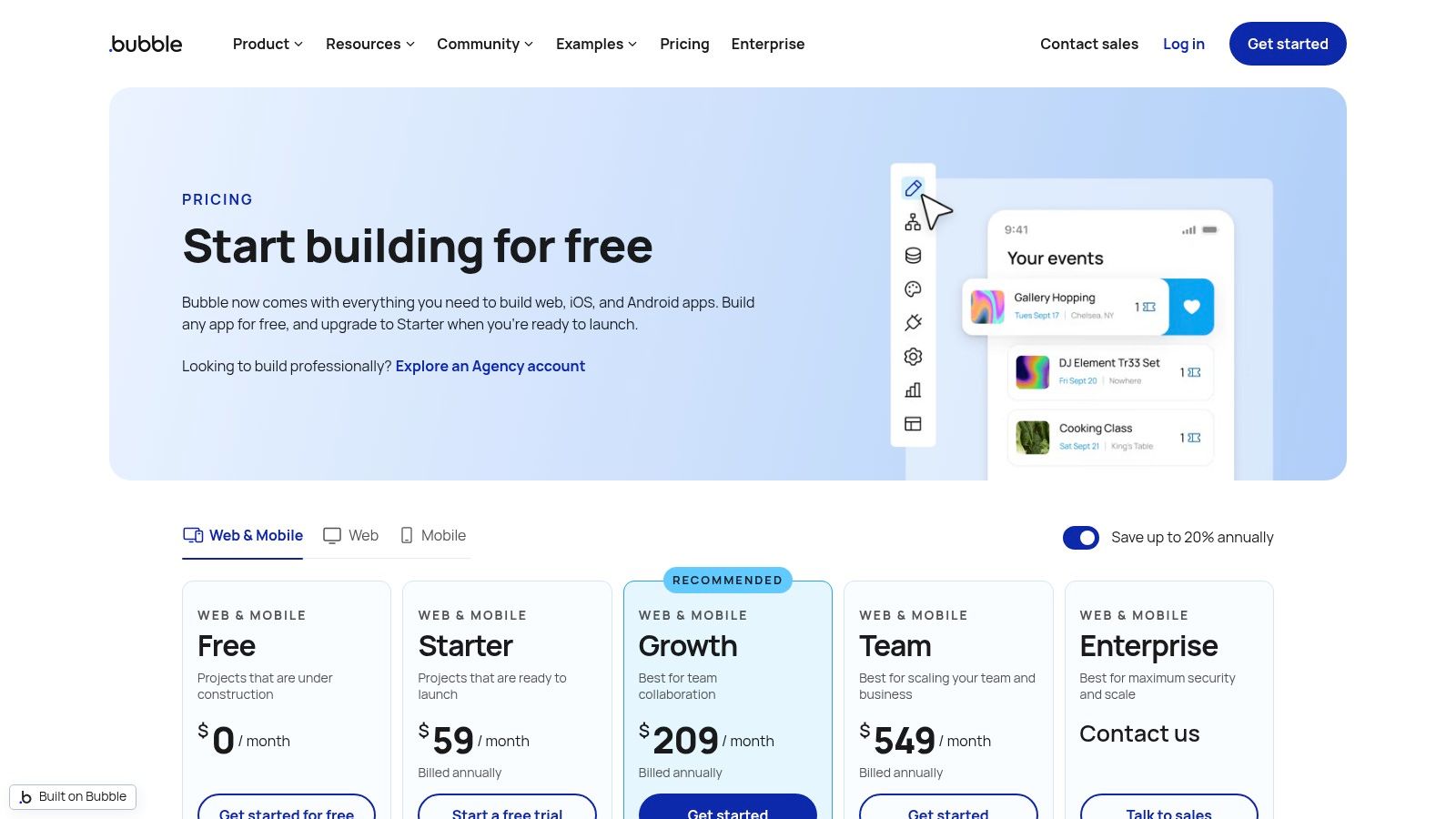
Bubble offers a generous free plan for learning and building, but launching a live app requires a paid subscription. The pricing tiers are based on "workload units," a metric that measures server usage like database operations and workflows. Plans start at $29 per month (billed annually) and increase based on the workload capacity and features like dedicated server instances and the number of app editors.
- Best Use Case: Building customer-facing web applications, MVPs, and complex internal dashboards.
- Unique Feature: A fully visual programming environment combined with a workload-based scaling model.
- Pros: Extensive plugin ecosystem, strong community support, and highly efficient for building B2C/B2B MVPs.
- Cons: Workload-based pricing can be complex to monitor and optimize, and performance tuning for complex logic requires experience.
Website: https://bubble.io/pricing
9. Budibase
Budibase is an open-source low-code platform that carves out a unique niche by prioritizing flexibility and developer control, particularly for building internal tools. It empowers teams to create dashboards, admin panels, and approval workflows with a powerful drag-and-drop UI builder. Its key differentiator is the option for self-hosting, which gives organizations complete control over their data, infrastructure, and security, including the ability to run applications in air-gapped environments.
The platform is designed to connect seamlessly with a wide array of data sources, from SQL databases and REST APIs to Airtable and Google Sheets. Budibase’s automations engine allows for the creation of multi-step business logic without code, handling everything from sending emails to processing data. This combination of an intuitive interface and deep technical flexibility makes it one of the best low-code development platforms for startups and enterprises seeking a customizable and cost-effective solution for internal applications.
Key Details & Pricing
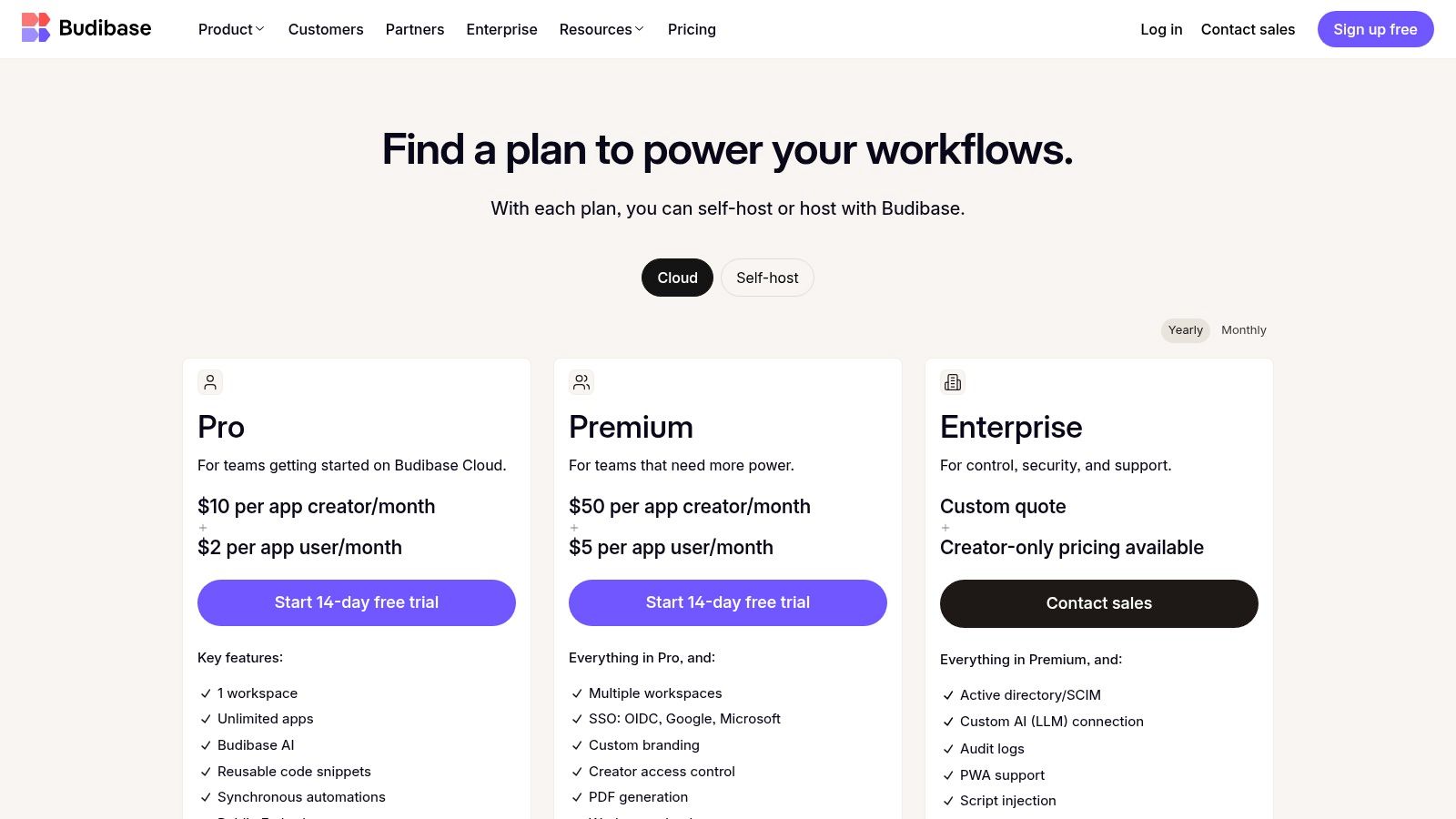
Budibase offers a compelling pricing model that is transparent and scales predictably. The open-source, self-hosted option is free for up to 20 users, making it exceptionally accessible. Paid plans are divided into Cloud and Enterprise offerings, with pricing based on the number of "Creators" (developers) and "End Users," which is often more cost-effective than per-user models. Plans start with a generous free tier, with paid options adding more user capacity, user groups, and advanced features.
- Best Use Case: Building custom internal tools, admin panels, and forms with full data and deployment control.
- Unique Feature: Open-source core with self-hosting and air-gapped deployment options for maximum security and control.
- Pros: Generous free tier for self-hosting, clear and predictable pricing, strong data source connectivity.
- Cons: The commercial ecosystem is smaller than larger vendors, and some advanced features are limited to paid plans.
Website: https://budibase.com/pricing
10. Oracle APEX
Oracle APEX (Application Express) is a powerful, low-code development platform that is deeply integrated with the Oracle Database. Its primary advantage is leveraging the security, scalability, and performance of a world-class database to build sophisticated, data-driven web applications. APEX excels at creating enterprise-grade applications, such as large-scale data reporting dashboards, complex financial systems, and public-facing portals that require direct, high-performance interaction with extensive datasets.
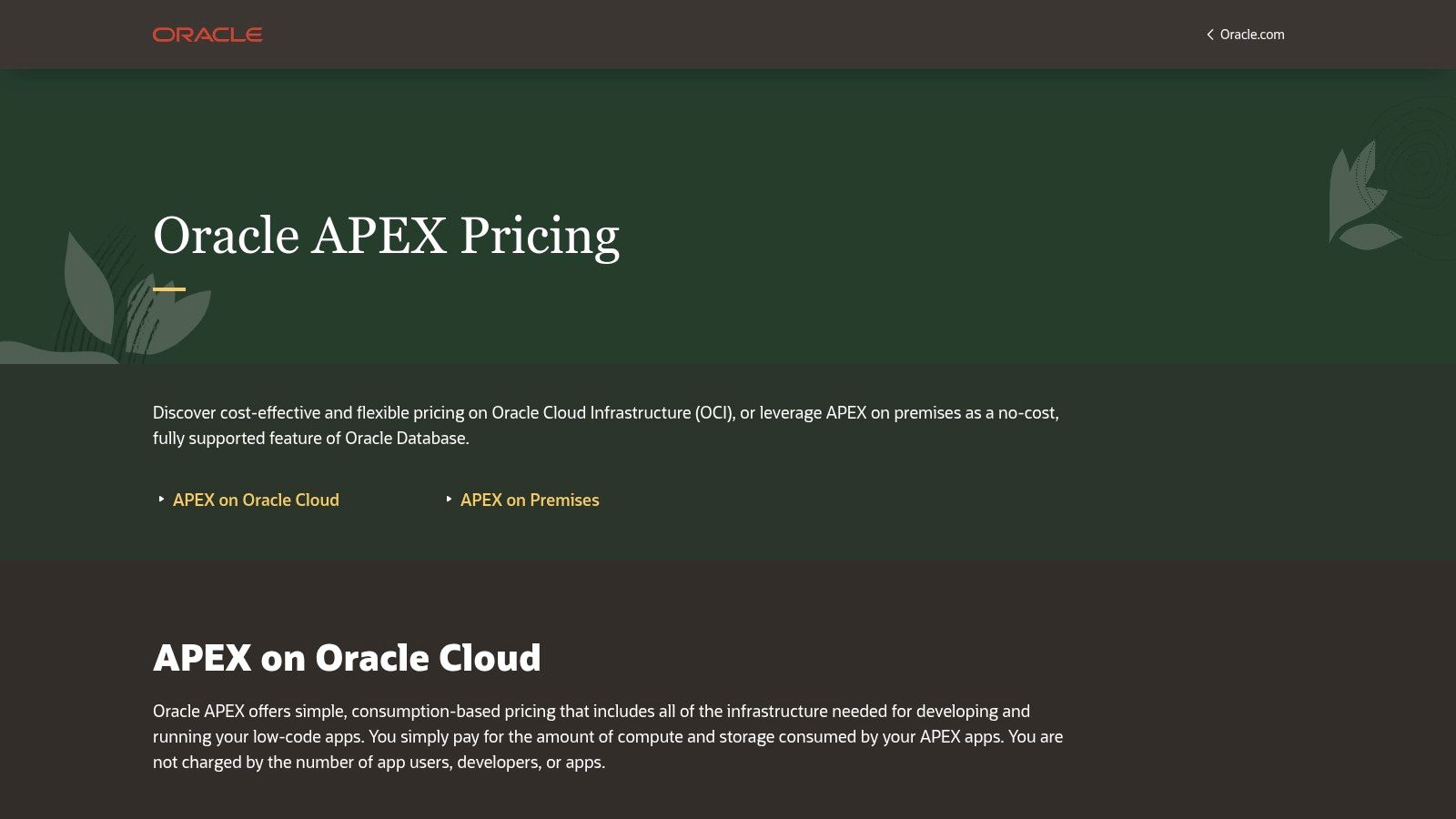
The platform stands out with its unique pricing and deployment model. APEX is included as a no-cost feature with the Oracle Database, both on-premises and in Oracle Cloud Infrastructure (OCI). This eliminates the per-user or per-app licensing fees common with other platforms, making it one of the best low-code development platforms for applications with a large or unpredictable number of users. Development is done through a declarative, browser-based interface, allowing developers to build out user interfaces, reports, and logic with minimal hand-coding, while still offering direct SQL access for complex data manipulation.
Key Details & Pricing
The cost is tied to the underlying Oracle Database and cloud infrastructure consumption (compute and storage), not APEX itself. Oracle offers an Autonomous Database service with an "Always Free" tier, allowing teams to build and deploy real applications at no cost. For larger needs, you pay for the OCI resources your database and application consume.
- Best Use Case: Building scalable, secure, data-intensive web applications for organizations already invested in the Oracle ecosystem.
- Unique Feature: No-cost licensing model tied to the Oracle Database, eliminating per-user fees and enabling cost-effective scalability.
- Pros: Exceptional performance and security inherited from the Oracle Database, cost-effective for applications with many users.
- Cons: Primarily suited for teams comfortable with the Oracle stack; some features assume familiarity with Oracle DB and OCI concepts.
Website: https://apex.oracle.com/en/learn/getting-started/pricing/
11. AWS Marketplace
AWS Marketplace serves as a unique procurement and deployment hub rather than a singular low-code platform itself. For organizations deeply integrated with the Amazon Web Services cloud, it provides a streamlined channel to discover, purchase, and deploy a wide array of third-party low-code and no-code solutions directly into their AWS environment. This approach simplifies vendor management, consolidates billing onto a single AWS invoice, and ensures that new tools align with existing cloud governance and security protocols.
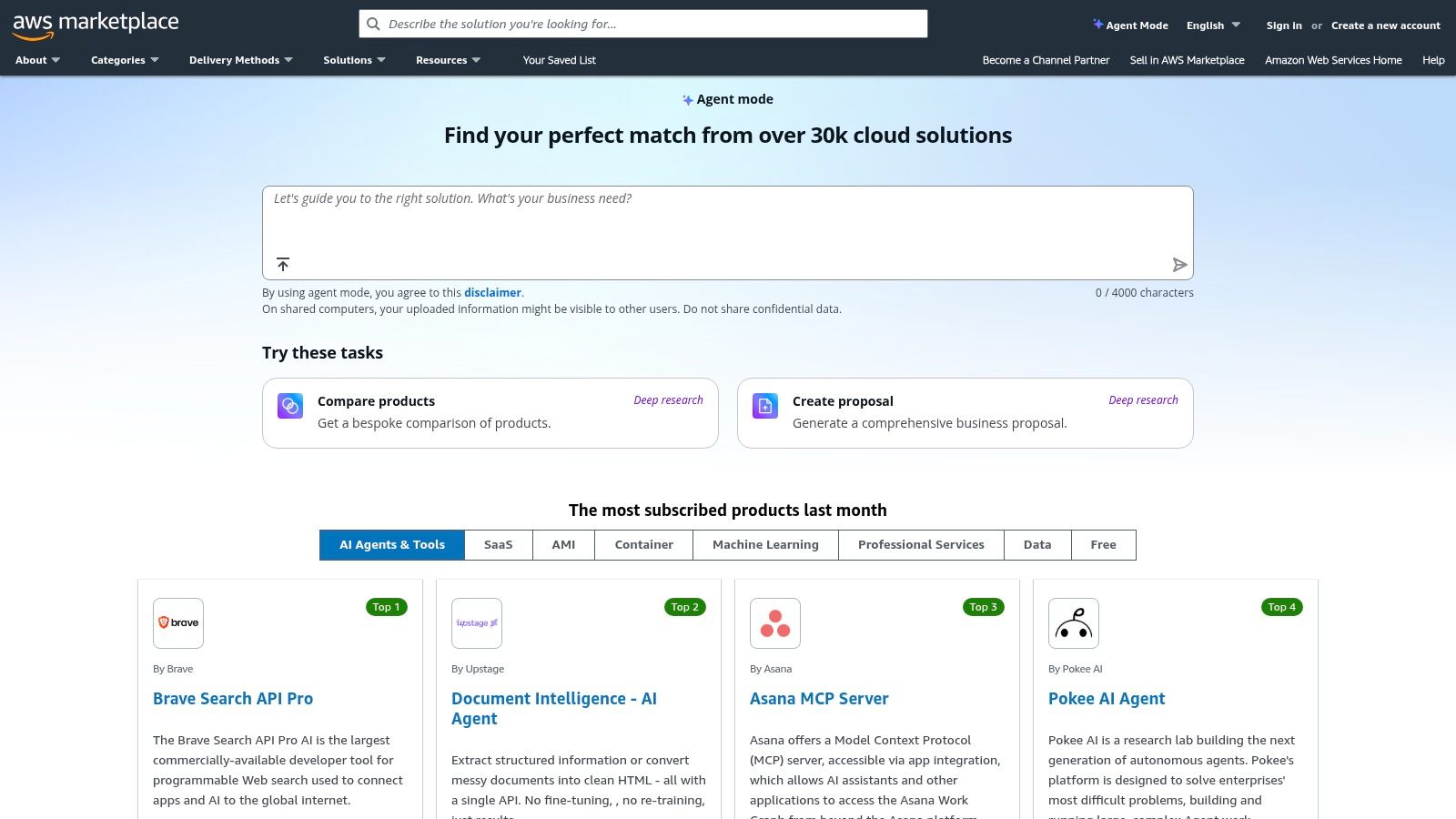
The platform's key advantage is its ability to centralize procurement and deployment, allowing teams to leverage their committed AWS spend and take advantage of private offers negotiated directly with vendors. This makes it one of the best low-code development platforms from a financial operations and compliance perspective, especially within large enterprises. Users can find and launch everything from simple form builders to comprehensive enterprise application platforms as SaaS subscriptions, container images, or pre-configured Amazon Machine Images (AMIs), accelerating the entire software acquisition lifecycle.
Key Details & Pricing
Pricing is determined by the individual third-party vendors listing their products on the marketplace. Models vary widely and include SaaS subscriptions, usage-based metering, bring-your-own-license (BYOL) options, and free trials. The primary benefit is consolidating payment through the existing AWS bill.
- Best Use Case: Enterprises looking to procure and deploy low-code tools while consolidating billing and vendor management through their AWS account.
- Unique Feature: Enables direct deployment of low-code tools into an AWS environment and centralized billing against existing AWS spend commitments.
- Pros: Streamlines vendor onboarding and compliance, simplifies billing, and leverages existing enterprise agreements with AWS.
- Cons: Not all leading low-code platforms are available, and pricing transparency can vary significantly between vendors.
Website: https://aws.amazon.com/marketplace/
12. G2 – Low-Code Development Platforms
While not a low-code platform itself, G2's category hub for these tools is an essential resource for evaluation and comparison. It aggregates hundreds of user reviews, ratings, and feature breakdowns, allowing prospective buyers to see how real-world users feel about different solutions. The platform is invaluable for moving beyond marketing materials to understand genuine user sentiment on usability, customer support, and ease of setup for a wide array of the best low-code development platforms.
G2 excels by providing transparent, filterable data that helps teams shortlist options based on company size, industry, or specific feature requirements. Its Grid® reports visually map out market leaders, contenders, and niche players, offering a quick yet powerful overview of the competitive landscape. This peer-driven insight is crucial for validating vendor claims and identifying potential red flags before committing to a platform. It serves as a critical due diligence step in the selection process.
Key Details & Pricing
G2 is free to use for research and reviews. The platform makes money through vendor subscriptions for enhanced profiles and marketing services, so it's important to be aware that some vendor placements may be influenced by sponsorship. The actual purchase of any low-code platform is completed directly through the respective vendor.
- Best Use Case: Researching, comparing, and shortlisting platforms using verified peer reviews and satisfaction data.
- Unique Feature: The G2 Grid® reports, which provide a visual quadrant analysis of market presence and user satisfaction.
- Pros: Access to a large volume of recent user reviews, helps rapidly compare usability and support, powerful filtering tools.
- Cons: Some vendor listings are sponsored, and it is not a direct development tool but a research aggregator.
Website: https://www.g2.com/categories/low-code-development-platforms
Top 12 Low-Code Platforms Comparison
| Product | Core features | Quality ★ | Pricing 💰 | Target 👥 | Unique ✨ |
|---|---|---|---|---|---|
| FlyDash 🏆 | AI-generated full apps (frontend+backend+DB); real-time collaboration | ★★★★☆ | 💰 Free starter; paid plans (unspecified) | 👥 Founders, PMs, Ops, Finance, Devs | ✨ Plain‑English → production code; no-code → code export |
| Microsoft Power Apps | Visual builder, Dataverse, prebuilt connectors, Copilot | ★★★★★ | 💰 Enterprise licensing; premium connectors extra | 👥 M365/Teams enterprises, IT admins | ✨ Deep Microsoft 365 & Teams integration; strong governance |
| Google AppSheet | Builds on Sheets/Drive, automation, offline sync | ★★★★☆ | 💰 Simple tiers; free prototyping (~10 users) | 👥 Google Workspace teams, SMBs | ✨ Tight Workspace alignment; mobile/offline support |
| Retool | Drag‑drop UI, JS customization, DB/API connectors, workflows | ★★★★★ | 💰 Seat + runtime pricing; cloud or self‑host | 👥 Ops, finance, developers | ✨ Fast internal tools; flexible hosting & portals |
| Mendix | Full lifecycle tooling, marketplace, multi‑cloud/on‑prem | ★★★★★ | 💰 Free dev tier; commercial plans scale up | 👥 Large enterprises, IT orgs | ✨ Enterprise governance and scalable portfolios |
| OutSystems | Visual full‑stack, DevSecOps, AI/agent capabilities | ★★★★★ | 💰 Free personal; commercial via sales | 👥 Enterprises needing high‑scale apps | ✨ DevSecOps + performance tooling for complex apps |
| Appian | App + process design, RPA, data fabric, case mgmt | ★★★★★ | 💰 Community edition; commercial quotes via sales | 👥 Regulated/process‑heavy enterprises | ✨ Strong process orchestration & compliance focus |
| Bubble | Visual web/mobile builder, workflows, plugins ecosystem | ★★★★☆ | 💰 Free tier; workload‑based paid plans | 👥 Startups, MVP builders, B2C/B2B makers | ✨ Rapid MVPs with rich plugin marketplace |
| Budibase | Open‑source builder, automations, self‑host/SSO options | ★★★☆☆ | 💰 Free self‑host (≤20 users); clear creator/end‑user pricing | 👥 Small teams, self‑hosted/internal tools | ✨ Open‑source + predictable pricing model |
| Oracle APEX | Visual builder tightly coupled to Oracle DB & OCI | ★★★★☆ | 💰 Consumption on OCI; APEX free on‑prem / Always Free OCI | 👥 Oracle stack teams, DB‑centric orgs | ✨ No per‑user licensing; strong DB performance |
| AWS Marketplace | Procurement & deployment hub for SaaS/AMI/containers | ★★★☆☆ | 💰 Varies by vendor; consolidated AWS billing | 👥 Enterprises standardizing on AWS procurement | ✨ Private offers + AWS billing & deployment integration |
| G2 – Low‑Code Dev Platforms | Reviews, rankings, vendor lists, user feedback | ★★★★☆ | 💰 Free research; links to trials & vendors | 👥 Buyers shortlisting low‑code vendors | ✨ Large volume of recent peer reviews & rankings |
How to Choose the Right Platform for Your Team's Needs
Navigating the landscape of the best low code development platforms can feel overwhelming, but the journey to digital empowerment begins with a clear understanding of your unique needs. As we've explored, the "best" platform is not a universal title but a relative one, defined entirely by your team’s technical skills, project scope, scalability requirements, and existing technology stack. The key is to shift the focus from finding a single superior tool to identifying the perfect-fit solution for your specific problem.
This comprehensive list, from enterprise-grade systems like Mendix and OutSystems to specialized internal tool builders like FlyDash and Retool, demonstrates the incredible diversity within the low-code market. Your final decision should be the result of a deliberate and strategic evaluation process, not just a feature-for-feature comparison.
A Practical Framework for Your Decision
To move from analysis to action, consider a structured approach to your evaluation. Begin by clearly defining the problem you aim to solve. Are you building a simple data entry form, a complex operational dashboard, or a customer-facing web application? The answer will immediately narrow your options.
Next, create a decision matrix that weighs the following critical factors:
- Primary Use Case: Is it for internal tools, customer portals, mobile apps, or complex business process automation? A platform like Bubble excels at no-code MVPs, while Appian is built for enterprise-grade process management.
- Target Users & Builders: Who will be building the applications? Citizen developers in marketing will thrive with the intuitive interface of Google AppSheet, while a development team might prefer the extensibility and control offered by Budibase or Retool.
- Integration & Data Sources: Map out your essential data sources. For teams heavily invested in Microsoft 365 and Azure, Microsoft Power Apps offers native, seamless integration. If you need to connect to various REST APIs and SQL databases, platforms like Retool are designed for that purpose.
- Scalability & Governance: Consider the future. Will this application need to support ten users or ten thousand? Enterprise platforms like OutSystems provide robust governance and scalability, while others are better suited for smaller, departmental solutions.
- Developer Experience & Extensibility: Don't overlook your technical team. Platforms that allow for custom code, like FlyDash with its full-stack codebase generation, prevent vendor lock-in and create a collaborative bridge between business and IT, ensuring the tool can grow with your needs.
- Total Cost of Ownership (TCO): Look beyond the sticker price. Factor in per-user fees, development time, maintenance costs, and the potential need for specialized talent. An open-source option like Budibase might have a lower entry cost, but require more setup and maintenance.
Key Takeaways and Your Next Steps
The rise of low-code is not just about building faster; it's about empowering the people closest to a business problem to create their own solutions. Whether you're an Operations Manager automating a workflow, a Founder launching an MVP, or a developer accelerating internal tool delivery, the right platform acts as a force multiplier for your entire organization.
Your final step is to move from theory to practice. Shortlist two or three platforms that align with your evaluation framework and initiate a proof-of-concept (PoC). Build a small, well-defined project that mirrors a real-world business need. This hands-on experience will reveal more about a platform's true capabilities, limitations, and user experience than any product demo or feature list ever could. By investing this time upfront, you ensure the platform you choose not only solves today's challenges but also becomes a sustainable asset for future innovation.
Ready to see how AI can radically accelerate your development process? FlyDash is pioneering the next generation of the best low code development platforms by generating a full-stack, production-ready application from a simple text description, empowering you to build and iterate at unprecedented speed. Explore the future of application development and start building for free at FlyDash.
Ready to Build Your App?
Turn your idea into a production-ready React Native app in minutes.
Free tools to get you started
Free AI PRD Generator
Generate a professional product requirements document in seconds. Describe your product idea and get a complete, structured PRD instantly.
Try it freeFree AI App Name Generator
Generate unique, brandable app name ideas with AI. Get creative name suggestions with taglines, brand colors, and monogram previews.
Try it freeFree AI App Icon Generator
Generate beautiful, professional app icons with AI. Describe your app and get multiple icon variations in different styles, ready for App Store and Google Play.
Try it freeFrequently Asked Questions
RapidNative is an AI-powered mobile app builder. Describe the app you want in plain English and RapidNative generates real, production-ready React Native screens you can preview, edit, and publish to the App Store or Google Play.